Cold Email Template for Meeting: Copy-Ready Examples
Three meetings sit on your calendar this week, and all three came from inbound. The outbound list you built on Monday has produced nothing but silence, and the template sitting in your drafts folder is the reason you keep hesitating before you hit send. It reads fine. It also reads exactly like the eleven other pitches in that founder's inbox.
A meeting request email has one job, and it isn't to explain your product. It's to earn a reply from someone with no reason to trust you yet, using one specific observation about their business and one small ask they can answer in a sentence. Get those two pieces right and the rest is engineering.
The template below does that with a subject line that names a reason to open, an observation taken from the prospect's own hiring news, a quantified outcome, a proof point, and a question small enough to answer between two other tasks. Adapt it, then measure it.
Copy-Ready Meeting Request Template You Can Adapt
Here is the whole email, ready to paste and edit. It runs under 120 words, which keeps the ask visible on a phone screen without scrolling.
Subject: Quick question on your onboarding process
Hi {{first_name}},
Saw your team is hiring two new SDRs, which usually means inbound lead follow-up is about to get heavier.
Teams at that stage often lose hours before a first reply goes out, and a routed, automated response can cut that to minutes. [Client result with a real number] helped a similar team set this up.
Is this a priority for your team this quarter?
{{name}}, {{role}}, {{company}}
Reply stop and I will not email again.
Nothing in it is decorative. Each line removes a reason to delete: an unknown sender, an irrelevant pitch, an unproven claim, or a request that costs too much time.
What each line is doing
The subject names one trigger, the onboarding process that two new SDRs will inherit, and it doesn't fake a thread with a "Re:" prefix. A fake reply header buys one open and spends the trust you need for the second email.
The greeting is written for one person. "Hi team" or "Dear Sales Leader" tells the reader they're on a list, and they stop reading at the comma.
The opening observation is checkable in ten seconds on a careers page or a press release. That's the bar. If the prospect can't verify it with one click, it lands as flattery rather than research.
The outcome is quantified in the reader's own units. Hours before a first reply become minutes. "Streamline your operations" is not an outcome anyone can picture.
The proof point is one sentence with a real number from a comparable company. No number available? Use the most specific result you can defend and don't inflate it, because buyers check.
The ask is a single question answerable with yes, no, or not now. Two calls to action split the response between them and usually get neither.
The opt-out sits in the signature, not in a paragraph. One line, plain language, and it stays.
| Part | Job in the email | Example wording |
|---|---|---|
| Subject line | Signals one specific reason to open | Quick question on your onboarding process |
| Greeting | Shows the email is written for one person | Hi {{first_name}}, |
| Opening observation | Proves you looked at their situation | Saw your team is hiring two new SDRs |
| Business outcome | States one quantified gain | Could shorten your lead response time from hours to minutes |
| Proof point | Gives credibility in one sentence | [client result with a real number] |
| Ask | Requests one low-friction next step | Is this a priority for your team this quarter? |
| Opt-out line | Gives a simple way to stop future emails | Reply stop and I will not email again |
Replace every placeholder before sending. A first name that resolves to "there", or a company name pasted into a sentence written for another company, is the clearest signal a recipient gets that nobody read the message before it went out.
Personalize Lines That Earn the Open
Personalization earns its keep at the open, and the evidence for that is stronger than most template advice. A 2018 randomized field experiment published in Marketing Science tested personalized email advertising across three companies and millions of recipients. Adding the recipient's name to the subject line raised open probability by 20%, from 9.05% to 10.80%. Sales leads rose 31%, from 0.39% of emails sent to 0.51%, and unsubscribes fell 17%, from 1.2% to 1.0%.
Read the scale carefully. A 20% relative lift on a 9% base is under two percentage points, and the lead rate stayed below 1% in that advertising context. Anyone promising that a personalized subject line doubles your pipeline is quoting the relative number as if it were absolute.
The inputs worth using
- A recent hiring signal. Two open SDR roles predict heavier inbound volume next quarter, and that prediction is the reason for your email.
- A product launch or expansion. New market, new support tier, new region: each one creates a process gap someone has to solve.
- A tool the team already runs. If the prospect's job posts mention HubSpot or Salesforce, you know which workflow conversation is relevant.
- A role-specific problem. A VP of Sales cares about response time and rep productivity. A RevOps lead cares about routing logic and data hygiene. Same product, different opening line.
One trigger line per email. Paragraphs of admiration for the company's website get recognized as template filler, because they're the one thing every sender can write without reading anything.
Test rule: change one personalization element at a time across matched segments, and judge the variant on positive replies, not opens. Our guide to cold email best practices walks through how to split a list so the comparison holds.
Pick the Call to Action That Gets a Reply
Most meeting templates end the same way: "Do you have 15 minutes next week?" It's the highest-friction request you can make of a stranger, and the benchmark data pushes against it. An analysis drawing on Gong data from more than 304,000 emails reports 68% positive replies for interest-based calls to action versus 41% for direct meeting requests, and the interest-based approach produced a 15% meeting-booking rate, according to CopyCrest's cold email research.
That doesn't mean never ask for a meeting. It means the first email tests relevance with a small question, and the meeting request arrives once the prospect has shown interest. Same benchmark summary notes an average of roughly 344 cold emails per meeting, which is the number to keep in view when a high reply rate starts feeling like success.
| Ask type | Example wording | Positive reply rate | Meeting booking rate |
|---|---|---|---|
| Direct meeting request | Do you have 15 minutes next week? | 41% | Not reported for this ask in the same benchmark |
| Interest-based question | Is cutting manual follow-up a priority this quarter? | 68% | 15% |
| Resource offer | Should I send the workflow checklist? | Not measured in this benchmark | Not measured in this benchmark |
When each ask fits
The interest question belongs on a cold first touch, when the only thing you're buying is a reply. The direct request suits a warm referral, an inbound lead, or a prospect who already replied and asked what you do. The resource offer fits someone whose role you understand well enough to hand them a specific checklist, teardown, or benchmark sheet, and it works because it costs the reader nothing.
Worth knowing who runs this cadence well: the daily tasks of sales appointment setters revolve around exactly these branching decisions, plus the follow-up timing that most first-touch debates ignore.
Treat the reply percentages as a directional comparison from one benchmark, not a law. Run the direct ask and the interest question against two matched halves of your own list for two weeks before you rewrite your whole sequence around either one.
Build a Follow-Up Sequence That Adds Context
A first meeting email is one step. The follow-ups decide whether that step turns into a positive reply or a booked meeting. Each later touch has to add a fact, an example, or a question the opener did not already use. Rewriting the same ask in new words does not count.
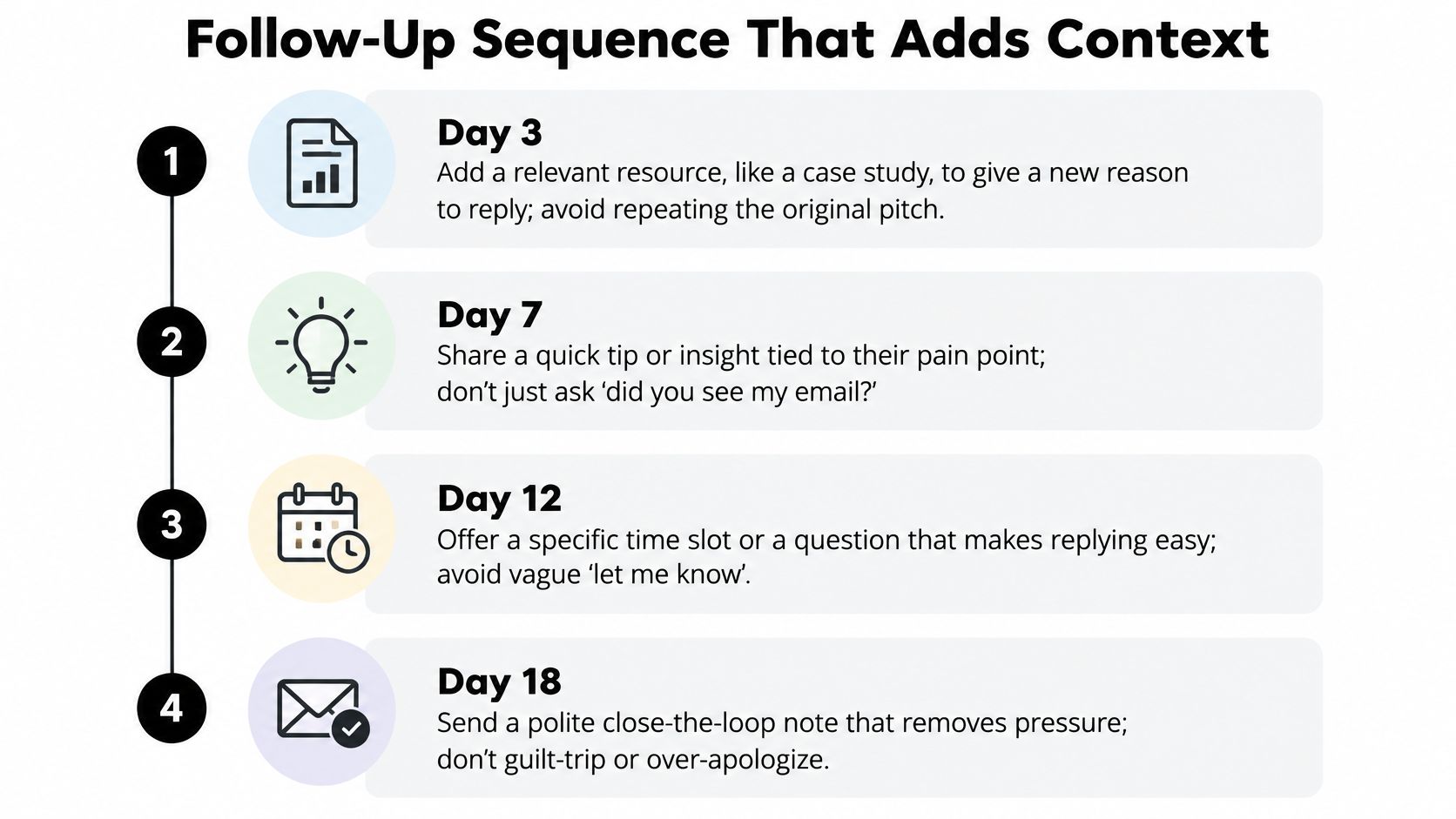
- Day zero, the initial email. Under 150 words, one ask, one proof point. The slip is a second call to action added because the first one felt thin.
- Day three, a specific insight. "Teams in your sector often find that manual lead routing is where response time slips. Happy to share what has worked for peers." The slip is restating the original ask and calling it a follow-up.
- Day seven, a resource. A short example or a relevant question, with no new pitch attached. The slip is asking for the meeting again two days after the last ask.
- Day fourteen, close the loop. Ask whether they want the topic revisited later. The slip is a fourth pitch that restarts the cycle and gets the domain marked as spam.
Stop after two or three follow-ups. I would rather send a polite close than let a sequence run because the tool allows another send. Score the sequence on positive replies and meetings booked, not on how closely a line matches sample copy.
If you'd rather watch the cadence play out, this walkthrough covers the same structure in video form.
The cadence fails when someone has to remember it. In the B2B SaaS lead workflow, a lead who does not book within 24 hours is enrolled in a nurture sequence automatically, so the next touch fires on time. Test follow-up variants on matched segments, and count only replies from real people when you compare them.
Send Within the Rules Before You Scale
A meeting request that would have earned a reply still dies if the mailbox rejects the domain first. Treat the template as one step in a sequence you will judge on positive replies and booked meetings. Those counts only mean something if the mail is allowed to arrive.
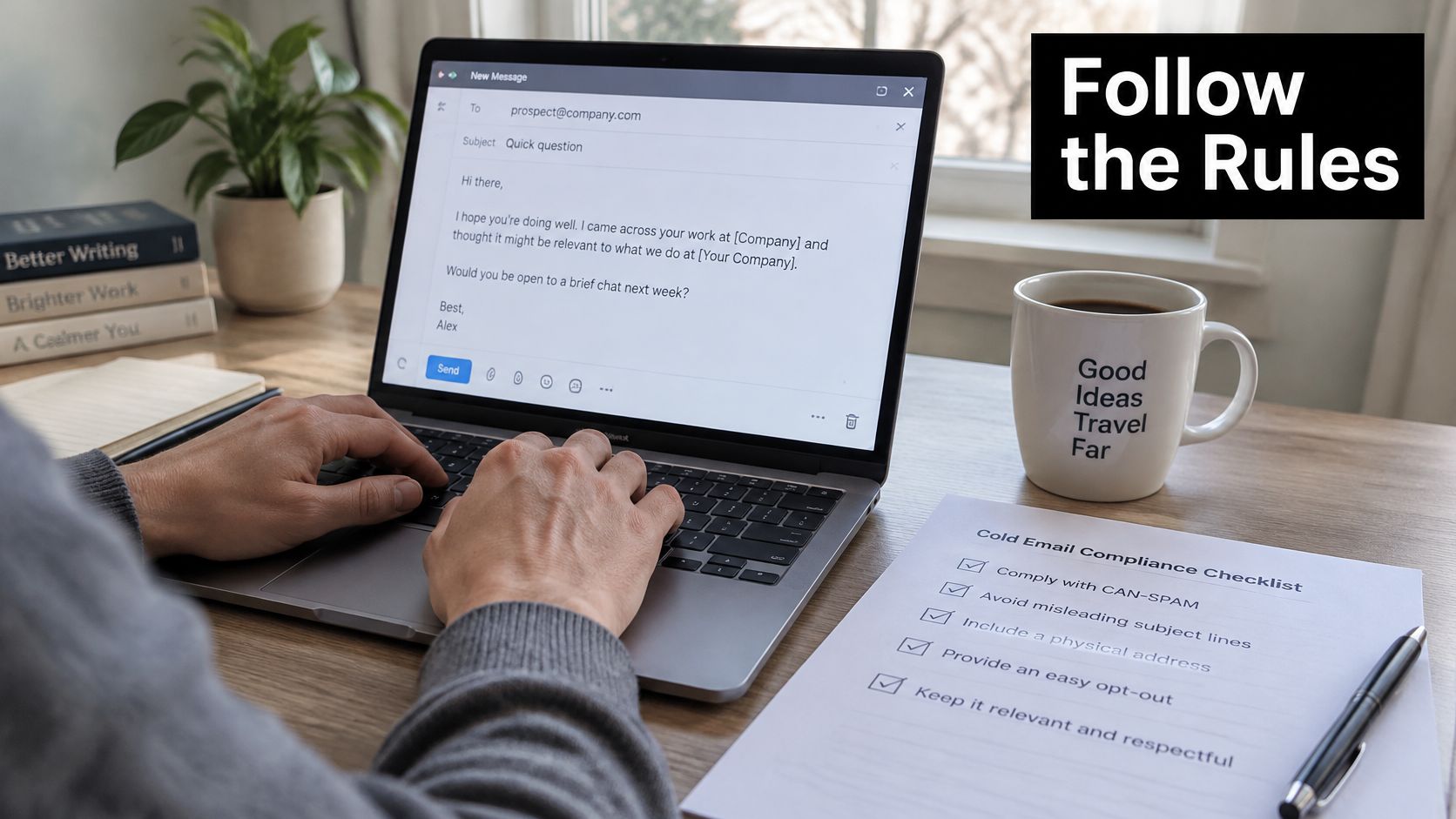
Under the U.S. CAN-SPAM Act, unsolicited commercial email needs accurate sender and routing information, a non-deceptive subject line, clear identification of advertising where it applies, and a working opt-out, as the Federal Trade Commission's CAN-SPAM compliance guide sets out. That guide also requires a clear and conspicuous opt-out notice plus a working return address or equivalent. After an opt-out, stop mailing that person once the legally permitted period ends. Suppression has to behave the same way on every list, or the next send inherits the complaint.
The deliverability decision tree
The Broadcom guidance on bulk sender requirements treats SPF, DKIM, and DMARC records plus valid DNS as baseline requirements for bulk senders at Gmail, Yahoo, and Microsoft. Noncompliant mail gets rejected, throttled, or filtered. The same guidance requires one-click unsubscribe for those bulk senders and points to a target spam-complaint rate below 0.3%.
- Authenticate before the first bulk send. Publish the records, then confirm a test message authenticates at Gmail, Yahoo, and Microsoft before any meeting sequence goes out.
- Put one-click unsubscribe in the email. It belongs in the message itself, not behind a preference center the reader has to hunt for.
- Watch complaints by segment. Pause the segment that is drawing them and find the cause before you resume. A bad list will mark the domain long before the copy gets a fair test.
- Suppress everywhere, not just in one tool. Anyone who opts out or complains comes out of the CRM, the sequencing tool, and every downstream automation. A cross-synced suppression list is the version that holds.
Pre-send checklist
- Identity is honest. Real sender name, real company, and a domain that matches who you say you are.
- The subject matches the body. Curiosity is fine. A subject the email does not deliver on is a deception problem.
- The opt-out is visible and works. Test it yourself once per quarter, on the live template, not a draft.
- Suppression ran. Check the list against the CRM immediately before launch, not the day you built the segment.
I would not scale a meeting sequence until that opt-out test and the authentication check both pass. Compliance protects the domain that produces the replies and the meetings, and it keeps later touches deliverable. If placement is already shaky, the guide on how to improve email deliverability covers the reputation side in more depth. Check regional rules before sending outside the United States. Consent requirements differ by market, and a send that meets U.S. rules can still breach GDPR in the EU.
Measure Meetings and Launch a 15-Minute Test
A meeting template is a funnel, not a message. Six elements have to line up: one ICP segment, one operational pain, a verifiable trigger, a quantified outcome, a concise proof point, and an ask for 15 to 20 minutes. Track delivered emails, human replies, positive replies, and meetings as separate numbers, because collapsing them hides the step that's broken.
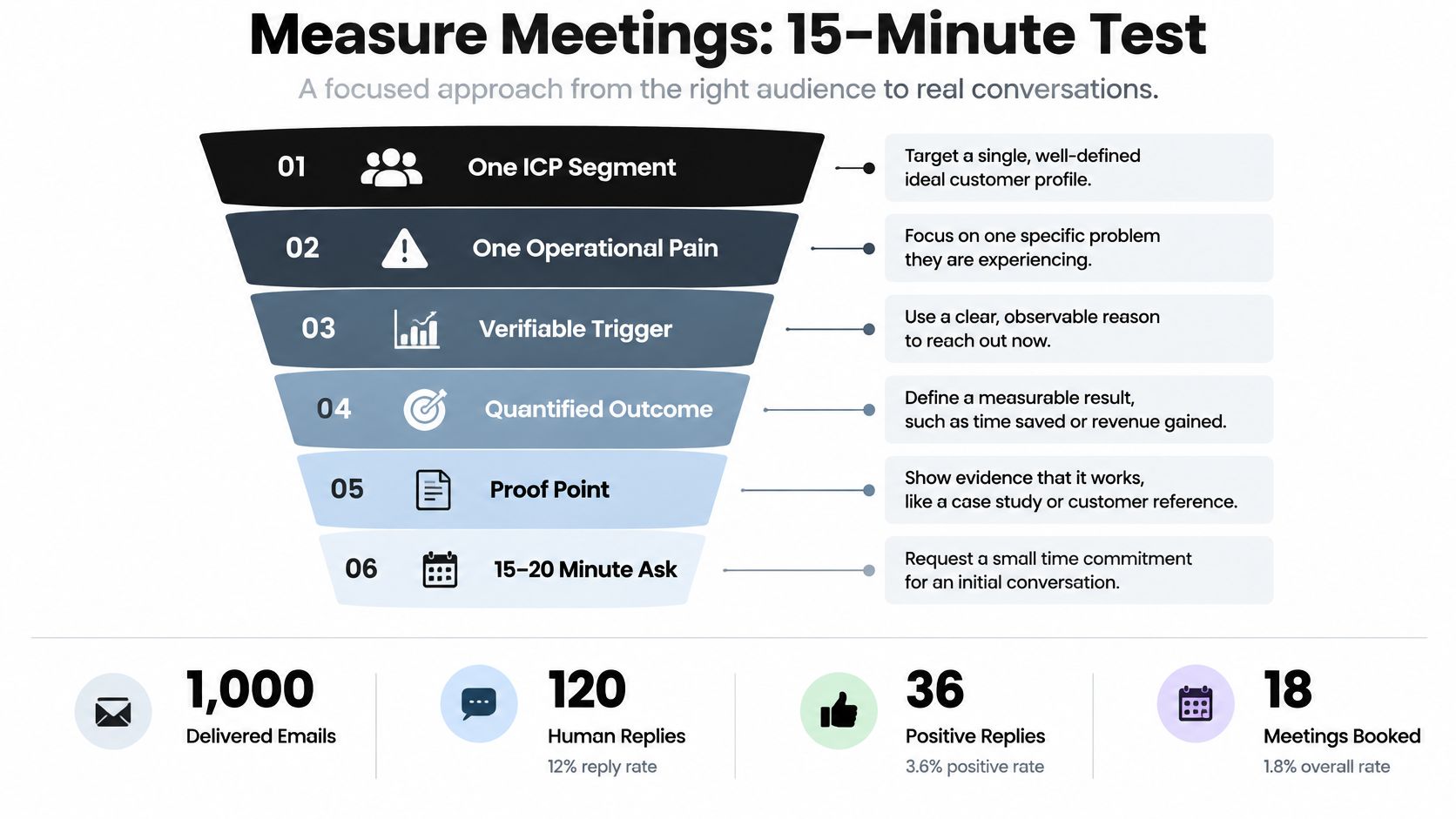
Published B2B benchmarks in the Zeliq cold email guide put delivered rates at 95-98%, reply rates around 3-5%, and booked meetings at roughly 0.5-2% of contacts, with stronger campaigns reaching 3-5%. Those ranges only compare cleanly when the denominator and the handling of automated replies match, which is why most "our reply rate beat the benchmark" claims collapse on inspection.
| Metric | Typical benchmark | How to count it |
|---|---|---|
| Delivered emails | 95-98% | Delivered divided by sent, from your sending tool |
| Human replies | 3-5% | Replies from real people, auto-replies excluded |
| Booked meetings | 0.5-2% of contacts | Meetings booked divided by delivered contacts |
| Strong campaigns | 3-5% of contacts | Only compare when the denominator matches |
| Open rate | No dependable benchmark | Secondary diagnostic only, not a success metric |
Forecast with the low number
Take 10,000 delivered contacts at 0.5-2% and you get approximately 50-200 meetings before qualification losses. Plan the quarter on 50 and treat anything above it as upside. Open rate belongs in the diagnostic column, since privacy features and inconsistent tracking make it far less dependable than positive replies and booked meetings.
Success metric: positive replies and booked meetings as a percentage of delivered contacts, with auto-replies excluded and the definition of a qualified reply agreed before launch.
The usual slips are consistent: generic personalization dressed up as research, two competing CTAs, ROI claims nobody can support, a list that hasn't been verified, and counting every reply (including "unsubscribe me") as a win. If you want a fuller set of ratios to watch, our breakdown of lead generation KPIs covers the downstream numbers.
Run the 15-minute workflow check
- Pick one ICP segment and one process. Lead follow-up, CRM hygiene, or inbound voice calls. One, not three.
- Write the first email from the template, fill every placeholder with a real detail, and run it against the compliance checklist above.
- Send a small test to a single segment, let it run two weeks, then change one variable before you scale the volume.
If your team would rather map the workflow with someone who does this weekly, we offer a free 15-minute discovery call with no commitment required, where we map the current process and identify the highest-return automation opportunities.
A template only earns its keep once the sequence behind it runs without someone babysitting it: the interest question on day zero, the insight on day three, the suppression rules, the routing that enrolls non-responders into nurture, and the reporting that counts meetings instead of opens. That's the work MakeAutomation does for B2B and SaaS teams, and it's the difference between a document of email copy and a pipeline you can forecast. Visit MakeAutomation to talk through your current outbound workflow and see where the first fix belongs.