AI Workflow Builder Guide: Features, Use Cases, and ROI
Your sales team has a familiar problem. A representative qualifies a lead in the CRM, marketing starts an email sequence, an SDR copies details into a spreadsheet, and an operations manager rebuilds the same report by hand every Monday. Each task looks manageable, but the handoffs create delays, inconsistent data, and hours of work that don't improve the product or customer experience.
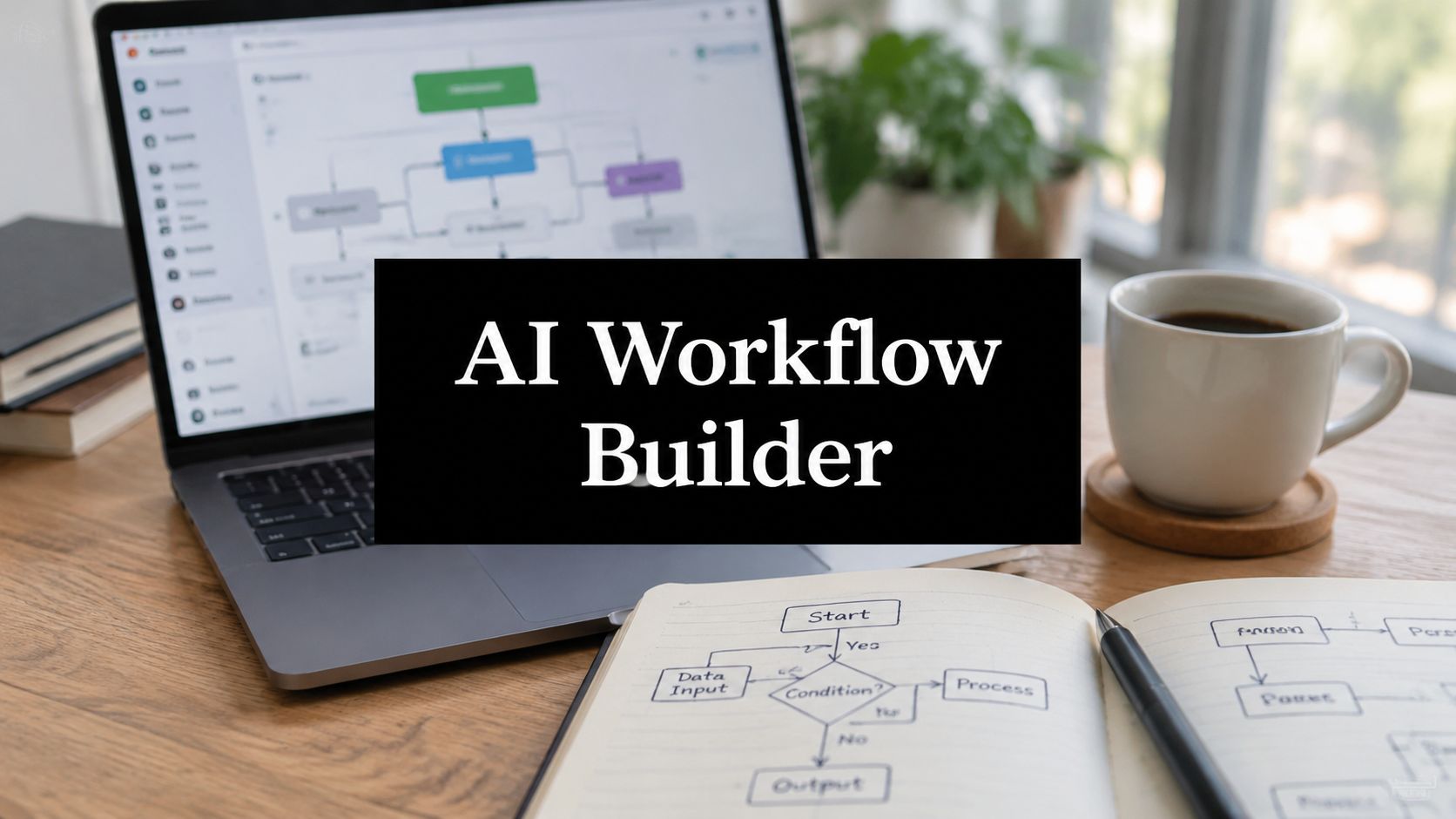
An AI workflow builder connects those handoffs. It listens for events across business systems, applies deterministic rules and model-based reasoning, calls tools such as CRM, email, calendar, and recruiting platforms, then writes structured results back into the systems your team already uses. The visual canvas is useful, but the buying decision is deeper: who controls access, reliability, evaluation, and recovery when the workflow meets messy production data?
What an AI Workflow Builder Actually Does
Think of an AI workflow builder as the connective tissue between applications. A new form submission can trigger enrichment, classification, lead scoring, routing, and an approved outreach action without requiring a person to copy information between tabs. The workflow can also pause when confidence is low, ask a human to review the result, and resume after approval.
Traditional automation handles predictable instructions well. If a deal moves to a particular stage, create a task. If an invoice arrives, store the attachment. An AI workflow builder adds a reasoning layer for inputs that aren't neatly structured, such as an inbound message, a resume, a sales call summary, or a project update. The model can interpret language, extract fields, choose among permitted tools, and explain why a route was selected.
That doesn't make the builder a chatbot. A chatbot primarily manages a conversation with a user. An agent framework gives developers primitives for building agents, tools, memory, and execution logic. An AI workflow builder packages those capabilities into a process that starts with an event and ends with an operational outcome.
The difference between a visual canvas and an operating system
A visual interface lets a business user see the sequence. It might show a trigger, an enrichment step, a classifier, an approval gate, and a CRM update. That visibility lowers the barrier to collaboration because sales, operations, and engineering can discuss the same flow.
The backend still owns the difficult parts:
- Identity: Which account is allowed to call each system?
- Logic: Which rules override model suggestions?
- Tool access: Can the model read data, change it, or only propose an action?
- Recovery: What happens after a timeout, malformed response, duplicate event, or rejected API call?
- Auditability: Can the team reconstruct what the model saw and which tools it called?
A practical independent FAQ on workflow builders makes this distinction clearly. A visual builder can represent AI agent pipelines, while execution, pricing, and business logic remain in the backend, so the central question isn't whether users can drag and drop. It's who owns reliability, tool access, and failure recovery in production, as discussed in the workflow builder FAQ.
Practical rule: Treat the canvas as the map, not the control system. The map helps people understand the route, while backend governance determines whether the route is safe to run.
The category is expanding beyond isolated automations. Industry coverage projects the global workflow automation market at $27.91 billion in 2026, up from $25.10 billion in 2025, with another outlook placing the sector above $78 billion by 2030. The same summary reports automation use among 60% of companies, reaching 84% among large firms, while AI is used in workflows by 37% of automating firms and 55% of large enterprises. These figures indicate that AI-assisted workflow design is becoming enterprise infrastructure rather than a novelty, as documented in this workflow automation statistics summary.
Core Architecture and Key Features Explained
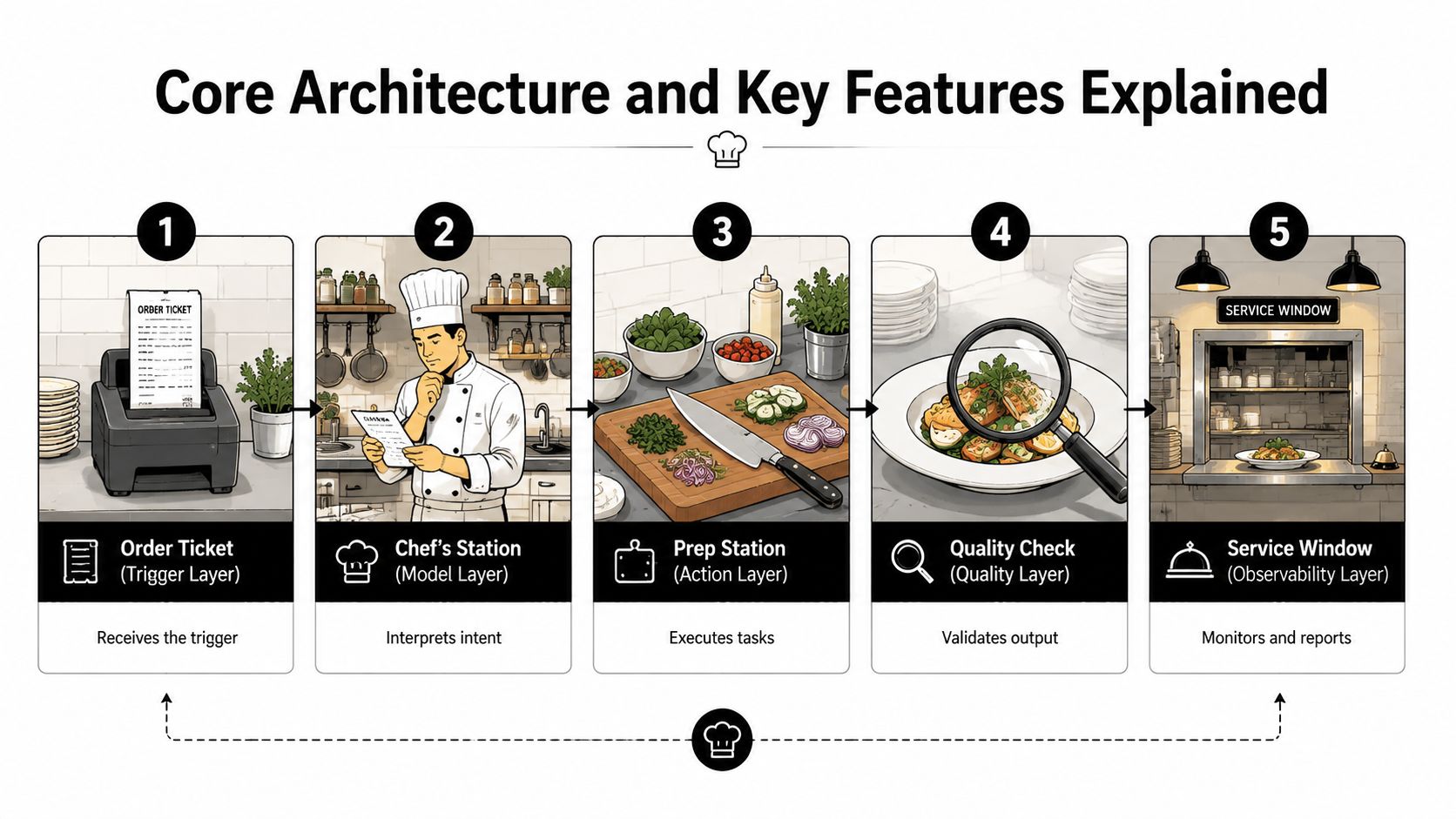
A restaurant kitchen is a useful way to understand an AI workflow builder. An order enters the kitchen, a chef interprets it, stations execute the preparation, quality control checks the result, and the service window provides a visible record of what leaves the kitchen. A production workflow needs the same separation of responsibilities.
The five layers
The trigger layer is the order ticket. It receives events from forms, webhooks, schedules, inboxes, databases, or application activity. Good connectors preserve the event's identity, timestamp, source, and relevant payload instead of reducing everything to an unstructured message.
The model layer is the chef's station. A language model interprets intent, extracts information, classifies the input, or selects a permitted route. Model routing matters here. A simple classification task may need a different model, prompt, latency target, and cost policy than a long document review.
The tool layer is the preparation line. Function calling lets the workflow invoke CRM, email, calendar, ticketing, recruiting, and analytics APIs. The builder should define each tool's schema, permissions, required fields, and response format. Tooling Studio's MCP features are relevant for teams evaluating structured ways to expose tools and context to AI systems.
The guardrail layer is quality control. Policy filters can redact sensitive information, reject invalid values, require approval for external communication, and prevent an agent from using an unsafe tool. Human-in-the-loop review belongs here, especially when an action changes customer data, sends a message, or affects a hiring decision.
The observability layer is the camera and service log. It records prompts, model calls, tool calls, guardrail decisions, handoffs, errors, latency, and final outputs. OpenAI's agent evaluation guidance describes a trace as the full record of those interactions and recommends trace grading for finding wrong tool selection, missing handoffs, instruction violations, and routing regressions.
For a broader view of how these components fit into an operational system, compare the AI agent orchestration platform approach with a simple point-to-point automation. The important distinction is not how attractive the canvas looks. It's whether the builder exposes enough control to inspect and improve the complete execution path.
A workflow builder should also support repeatable evaluation data. The WorkflowLLM paper describes WorkflowBench with 106,763 workflows, 1,503 APIs, and 83 applications, and reports that its fine-tuned model achieved an F1 plan score of 77.5% on the T-Eval benchmark in an out-of-distribution setting, outperforming GPT-4o on workflow orchestration tasks. The lesson is specific: models need workflow-aware planning and API constraints, not just strong conversational performance. Read the WorkflowLLM research paper for the technical background.
High-Impact B2B and SaaS Use Cases
The same builder behaves differently depending on the workflow. Lead routing depends heavily on structured fields and deterministic thresholds. Resume screening requires more interpretation and stronger review controls. Project status synthesis needs careful handling of conflicting updates and incomplete context.
| Workflow | Input Data | AI Decision | Downstream Tools | Primary Metric |
|---|---|---|---|---|
| Inbound lead enrichment and routing | Form fields, company details, website content, inbound message | Identify account context, fit, intent, and route | Enrichment service, CRM, owner assignment, Slack | MQL-to-SQL conversion rate |
| Multi-touch personalized outreach | CRM record, account research, prior activity, approved messaging | Select relevant angle, draft content, choose sequence | CRM, email platform, approval queue, calendar | Reply rate and qualified meetings |
| CRM hygiene and deal-stage automation | Call notes, emails, opportunity fields, activity history | Detect missing data, suggest stage, create follow-up tasks | CRM, conversation intelligence, task system | Data completeness and stage accuracy |
| Recruiter sourcing and candidate summarization | Resumes, profiles, job requirements, interview notes | Extract qualifications, compare evidence, flag gaps | Applicant tracking system, recruiter inbox, scheduling | Recruiter hours saved and candidate-to-interview ratio |
| Project management status synthesis | Tickets, comments, sprint activity, documents, blockers | Summarize progress, identify risk, propose owners | Project platform, team chat, reporting dashboard | Sprint predictability and overdue work |
Where AI adds judgment
For an inbound lead, the builder can combine a form submission with account context, identify whether the request matches the target market, and route it to the right representative. The business outcome isn't the number of enrichment calls. It's whether qualified opportunities move from marketing to sales with less delay and better context.
Outreach needs a different design. The model can research approved inputs and draft a message, but deterministic rules should control audience eligibility, contact frequency, suppression lists, and approval requirements. A useful workflow measures qualified replies and meetings, not emails sent.
CRM hygiene sits between the two. The system can detect missing fields, normalize account names, summarize a call, and propose a stage update. Yet a model shouldn't rewrite revenue-critical data without an audit trail or a review policy. For many teams, the right first release makes suggestions and creates tasks rather than applying every change automatically.
Recruiting exposes the limits of generic automation. A resume and a job description contain narrative evidence, ambiguous language, and context that may not fit a simple rule. The builder can extract structured qualifications and produce a recruiter-facing summary, but the workflow needs explicit review, consistent evaluation criteria, and protection against treating model output as a final hiring decision.
The success metric belongs to the business process, not the model. A fluent summary is useful only when it helps a recruiter make a better decision or saves time without weakening review quality.
Project management workflows also benefit from synthesis rather than simple copying. The builder can gather updates from tickets, comments, and documents, identify unresolved blockers, and prepare a status report. Project leaders should compare the report with actual delivery patterns, missed dependencies, and owner follow-through. That creates a feedback loop for improving the workflow instead of rewarding polished summaries.
Evaluation Criteria and Integration Checklist
A vendor demo can make every workflow look simple. Your evaluation should make vendors prove that the system remains useful when permissions differ, inputs are incomplete, APIs fail, and a human needs to intervene.
Five pillars for a buyer scorecard
Connectors and identity come first. Check support for REST APIs, GraphQL, webhooks, service accounts, SSO, and SCIM. Ask whether each connector supports read and write operations, pagination, rate limits, custom fields, and environment-specific credentials.
Model flexibility determines how much control you'll retain. Ask whether you can bring your own model provider, route different tasks to different models, manage prompt versions, and test a change against representative examples. A builder that hides all model choices may be easy to start with but difficult to govern later.
Governance should cover role-based access control, PII redaction, approval gates, tenant isolation, tool permissions, and data retention. Ask to see the policy configuration rather than relying on a product tour.
Evaluation and observability need trace replay, golden datasets, schema checks, error grouping, and drift alerts. OpenAI's trace-grading guidance is useful here because it treats failures such as wrong tool selection and missing handoffs as workflow-level issues, not merely bad final answers.
Pricing should be mapped to your actual execution pattern. Compare per-step, per-token, per-run, and per-outcome charges, then include connector fees, human review, storage, and monitoring. A low entry price can become difficult to forecast when a workflow branches or retries.
| Vendor | Connectors | Model Flexibility | Governance | Eval/Observability | Pricing | Total Score |
|---|---|---|---|---|---|---|
| Vendor A | ||||||
| Vendor B | ||||||
| Vendor C |
Score each column using a scale your team agrees on before demos. Lead generation may stress connectors and routing, recruiting may stress governance and review, while project reporting may stress trace quality and source reconciliation.
Procurement questions that expose gaps
Ask for a live demonstration of a failed connector call, a rejected output, a duplicate event, and a model response that doesn't match the required schema. Confirm SOC 2 coverage, data residency options, audit-log retention, incident ownership, fallback behavior, and human approval controls. Also ask whether non-English workflows are supported and tested.
Practical constraints can be easy to miss. Microsoft's responsible-AI FAQ for its workflow agent states that the agent supports a limited set of connectors, can't automatically fix errors in existing flows, may misidentify ambiguous sites or channels, and is available only in English. Those limitations illustrate why buyers should test their actual systems and languages through the Microsoft workflow builder responsible-AI FAQ, rather than assuming that a visual builder covers every production requirement.
Implementation Roadmap From Pilot to Scale
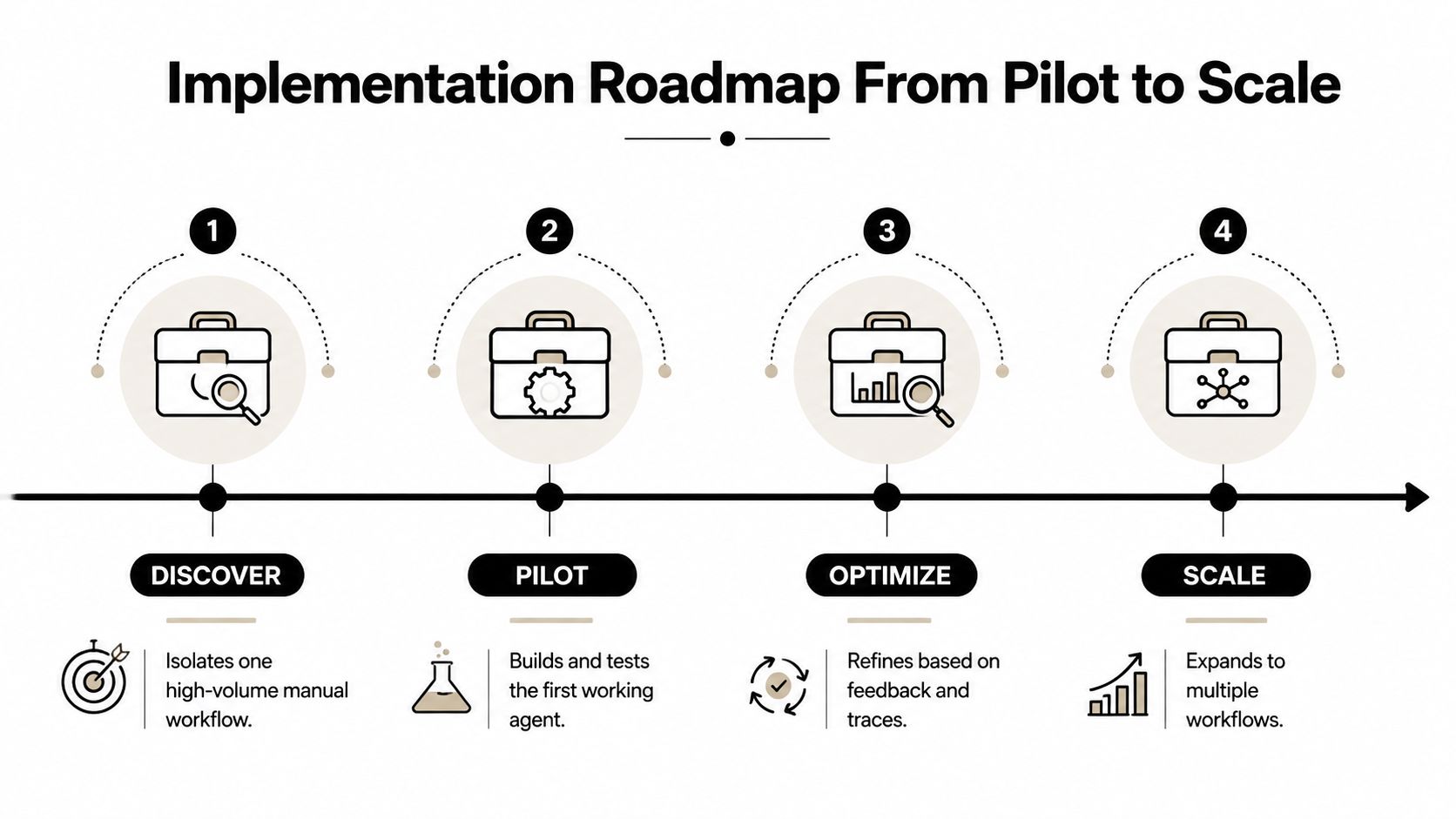
A controlled rollout keeps risk small and gives the team evidence before it expands the system. Start with one workflow that has a clear owner, repeated manual work, accessible data, and a business metric that leadership already trusts.
Discover
Map the current process from trigger to outcome. Record who owns each handoff, where data changes, which exceptions require judgment, and what the team does when a system fails. Choose a baseline such as hours spent, lead conversion, data completeness, recruiter workload, or reporting timeliness.
Prototype
Build the smallest useful version on a visual canvas. Use representative or mock data, narrow tool permissions, and human review at every meaningful decision point. Keep the first prototype focused on learning whether the workflow's inputs, decisions, and outputs are well defined.
Harden
Turn the prototype into a dependable service. Add approval gates, schema validation, retry and timeout behavior, fallback routes, evaluation examples, and trace dashboards. Test bad inputs deliberately, including incomplete records, ambiguous language, unavailable tools, and duplicate events.
Scale
Package the proven workflow as a reusable template, document ownership, and introduce it to an adjacent team only after the original process is stable. Standardize review of traces, prompts, tool configurations, and business outcomes so every new workflow follows the same operating model.
A short product walkthrough can help stakeholders understand the visual experience, but don't confuse a demonstration with a production test.
Common mistakes are predictable:
- Skipping evaluation sets: A workflow can appear successful while producing subtly wrong fields.
- Adding too many integrations: Each connector expands permissions, failure modes, and testing requirements.
- Treating low-code as no-risk: Visual configuration still creates a production system with data and access consequences.
Measuring ROI With Workflow Traces and Business Metrics
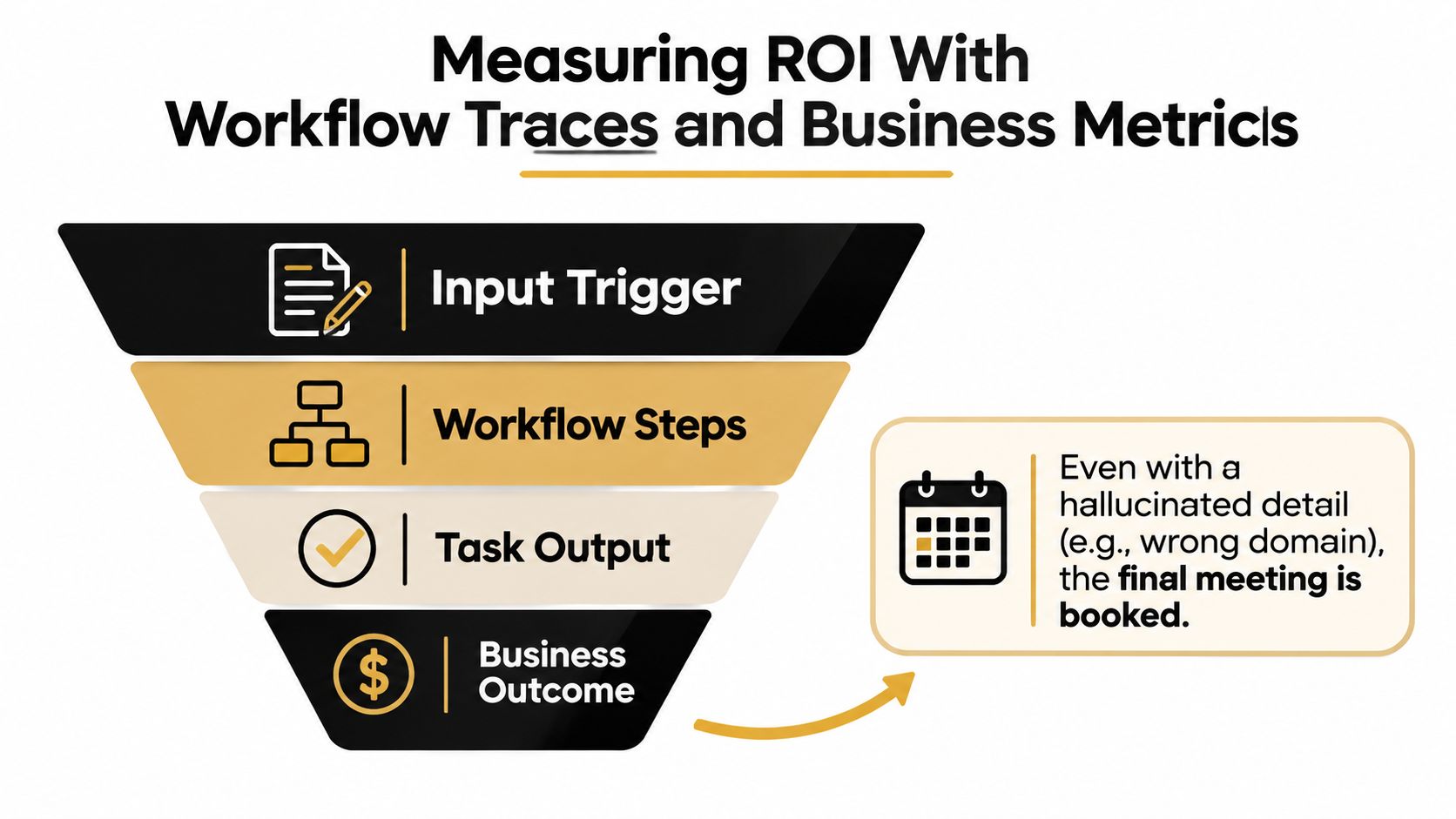
A completed task isn't proof of a successful workflow. Suppose an enrichment step invents or misidentifies a company domain, but the sales sequence still books a meeting. An end-task dashboard may count that run as a success while the CRM now contains contaminated account data.
Build a three-layer measurement stack
Trace metrics show how the workflow behaved. Track step latency, token usage, tool-call failures, retries, approval time, and fallback frequency. These measures help engineering and operations identify the cost and reliability of individual steps.
Evaluation metrics test whether outputs meet requirements. Use golden examples to assess factual faithfulness, schema adherence, classification consistency, and tool-call accuracy. OpenAI's agent-evals guidance recommends trace grading because it can identify failures across the complete path, including bad routing, missing handoffs, and instruction violations.
Business metrics connect execution quality to value. For sales, join a trace ID to the lead and opportunity record, then follow the opportunity through its stages. For recruiting, compare recruiter time spent with the number and quality of candidates reaching interviews. For support, examine whether deflection preserves resolution quality rather than merely reducing ticket volume.
The AI for operational efficiency framework can help teams connect workflow design with operational measures instead of reporting activity alone.
Measure the chain, not just the last link. A meeting booked, candidate summarized, or report generated can conceal a failure earlier in the workflow.
Start with a baseline period long enough to capture normal variation, then compare changes after rollout. Don't use total tasks run, emails sent, or model calls as primary ROI measures. Review trace failures each week, group recurring causes, and let those findings determine the next engineering or process improvement.
WorkflowLLM's benchmark supports this measurement mindset. Its results show that workflow-specific planning and API-aware evaluation matter for unseen tools and multi-step execution. A builder should therefore be judged against your own representative traces, not only against a generic language benchmark or a vendor case study.
Scaling AI Workflows Without Losing Control
The adoption problem is no longer whether companies can find a use for AI. Industry coverage reports that 88% of organizations regularly use AI in at least one business function, up from 78% the prior year, while another summary reports business-process automation use among 67% of organizations worldwide, compared with 57% two years earlier. Yet only 12% of enterprises describe themselves as fully mature in automation, and the average enterprise uses 7.5 automation tools, up from 4.2 in 2022, according to the same market coverage in the workflow automation statistics report.
That combination creates the central maturity gap. Teams may have many automations and broad AI adoption without the operating discipline needed to scale them. McKinsey-linked coverage cited in the same category discussion reports that only about one-third of organizations have begun scaling AI enterprise-wide, which suggests that the constraint is often ownership, governance, and process design rather than access to models.
A lightweight control stack
Separate development, staging, and production environments so experiments don't change live customer or revenue data. Version prompts, tool configurations, schemas, and routing rules together, and require a review before production promotion.
Give people only the access their role requires. Use RBAC and SSO, set cost ceilings, and add kill switches for workflows that send messages, modify records, or call expensive tools. Maintain an incident playbook that names the owner, rollback action, communication path, and data-repair procedure.
Teams should also establish a recurring trace review. Examine failed runs, approval overrides, unexpected tool calls, and changes in output quality. For guidance on keeping AI coding compliant and safe, extend the same discipline to workflow configuration, integrations, and model-assisted changes. The AI governance best practices guide provides another reference point for formalizing those controls.
Don't begin with a platform-wide overhaul. Choose one high-value workflow, instrument it end to end, run it through two sprints, and review both traces and business results. Once the team can explain what happened in each run and recover from failure, expand the pattern to the next process.
MakeAutomation provides practical frameworks, documentation, consultation, and hands-on support for B2B and SaaS teams building AI automations across lead generation, outreach, CRM, operations, recruitment, SOPs, and Voice AI agents. Visit MakeAutomation to define one high-value workflow, connect it to measurable outcomes, and build a controlled path from pilot to reliable scale.