How to Make an AI Voice for Your SaaS Platform
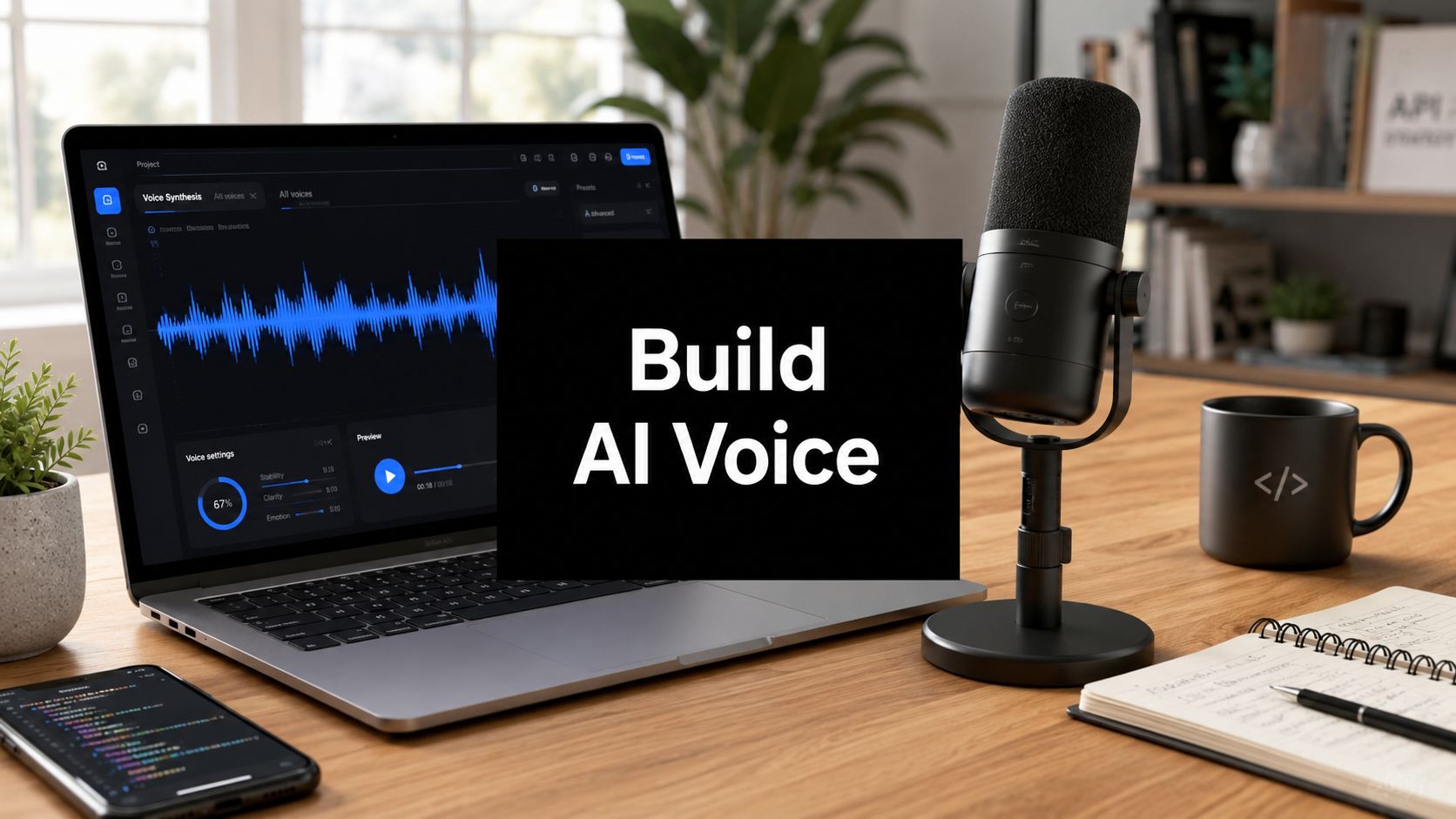
You're probably in the familiar spot where the demo works, the synthetic voice sounds impressive in a meeting, and then someone asks the hard question, “Can we ship this in production?” That's where projects often stall. How to make an AI voice for a SaaS platform isn't just a model choice, it's a workflow problem, a compliance problem, and a call-quality problem.
If you're building support automation, onboarding flows, outbound follow-up, or IVR experiences, the core work starts after the first generated sample. The teams that succeed treat voice like any other production system. They define the use case, prepare clean audio, choose a model with clear trade-offs, wire it into the app, test it in real conversations, and keep consent and provenance in the loop from day one.
Identifying AI Voice Use Cases
The best place to start is the customer journey, not the model. A SaaS team usually has a few obvious voice candidates already sitting in the funnel, such as a support hotline, a renewal reminder, a voice-enabled knowledge base, or a guided onboarding call. Each one has different tolerance for latency, nuance, and failure.
Start with a specific workflow, not a vague ambition
A voice agent that handles routine support questions can be measured differently from a voice flow that qualifies leads or books demos. For support, completion and deflection matter more than flair. For onboarding, clarity and patient pacing matter more than personality.
That's why it helps to define the interaction before you touch TTS. Ask who speaks first, what a successful outcome looks like, and what should happen when the voice model doesn't understand the user. If the system can't answer a question, should it repeat, escalate, or hand off to a human? Those decisions shape the voice design more than accent or style ever will.
Practical rule: if a human agent would need three back-and-forth turns to resolve the request, your AI voice probably needs a fallback path, not just a better prompt.
Tie each use case to a measurable outcome
Voice projects get messy when the team tries to make everything sound impressive instead of useful. A more disciplined approach is to attach one operational goal to each flow. That goal might be faster resolution, more completed calls, smoother onboarding, or fewer abandoned interactions.
It also helps to think in terms of customer context. A returning user calling support wants speed and certainty. A new customer going through onboarding wants reassurance and structure. An outbound reminder needs brevity and a clean exit path. The same synthetic voice can serve all three, but the script, pacing, and escalation logic should not be identical.
If you want to compare your choices against broader agent patterns, the guide on best AI voice agents is a useful companion when you're mapping product fit to operational requirements.
Preparing High Quality Voice Data
Audio quality is still the foundation of everything. A voice model can't recover what the recording never captured, and most of the issues people blame on the model start in the room, the mic chain, or the transcript. The cleanest workflow is still the boring one, good capture, careful cleanup, and disciplined export.
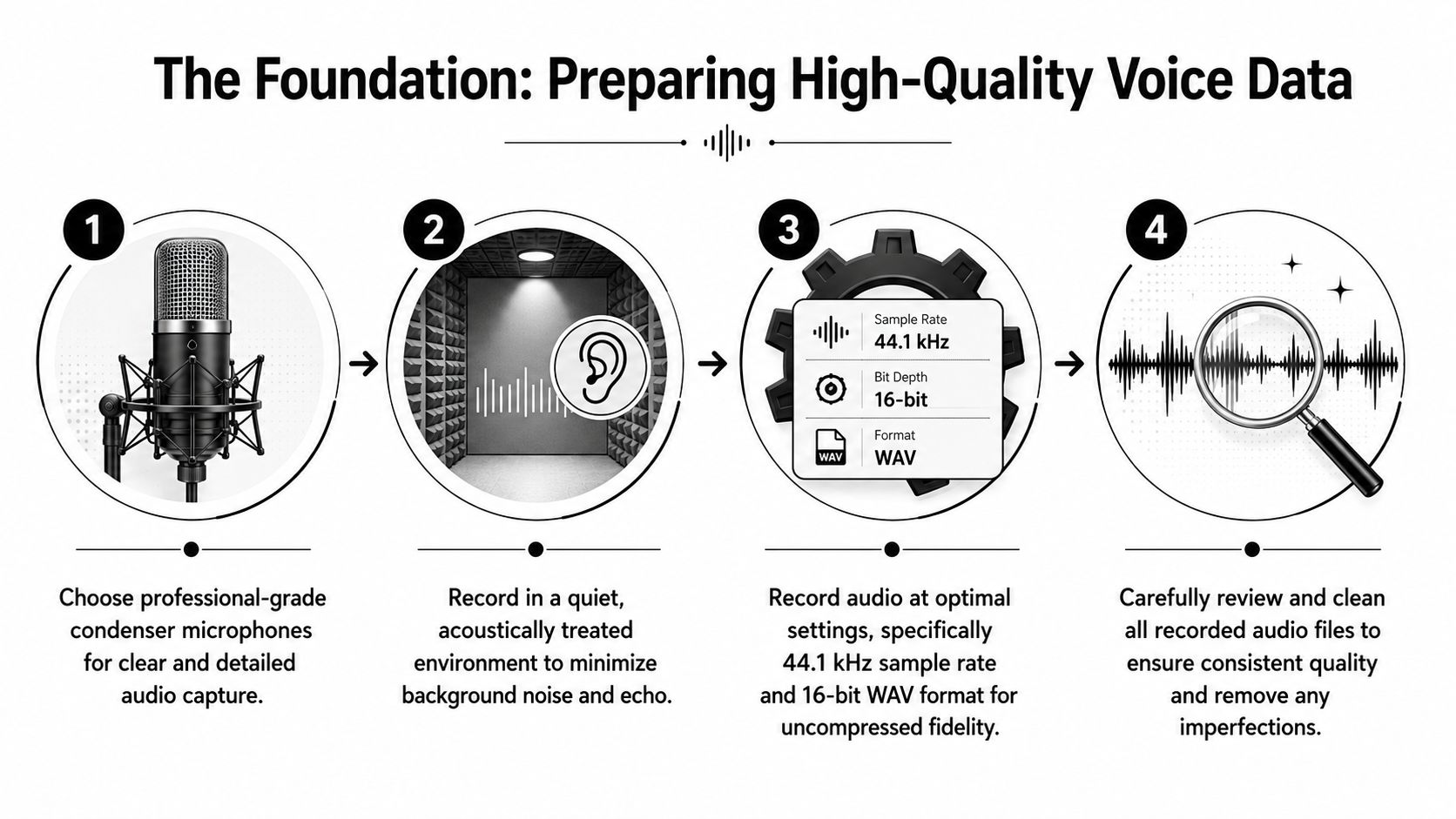
Record for consistency before you record for quantity
Modern workflows often start with about 10 minutes of clean speech for a minimal dataset, but higher-quality generators usually advise 30–60 minutes of dry, monophonic vocals to improve phoneme coverage, natural prosody, and speaking-style variety (Kits voice model creation guide). That gap matters because a fast prototype and a production voice are not the same product.
For SaaS teams, the recording target should match the risk profile. If you only need a proof of concept, a shorter consented sample can validate the idea. If the voice will speak to customers, represent your brand, or route sensitive requests, then the audio needs to be captured like production media, not like a casual voice memo.
Use a quiet, acoustically treated space and keep the performer in a consistent position. Monophonic capture matters because you're feeding a model, not mixing a podcast. Export in 16-bit WAV when the workflow supports it, because uncompressed fidelity reduces avoidable artifacts downstream (Kits voice model creation guide).
Clean the pipeline, not just the file
The dataset-prep workflow is still structurally similar across tools, recordings are cleaned, segmented, aligned to transcripts, and then used for model training and fine-tuning (Kits voice model creation guide). That's useful because it gives teams a reproducible path instead of a one-off creative session.
A practical prep checklist looks like this.
- Trim silence carefully: Keep enough lead-in and tail for natural cadence, but remove long dead space that can confuse timing.
- Normalize volume consistently: Avoid one clip sounding distant and another sounding pushed too hot.
- Check transcription alignment: Exact transcripts matter because mismatches poison training data more quickly than expected.
- Remove obvious noise artifacts: Chair squeaks, HVAC hum, and room reflections all travel into the model as unwanted behavior.
- Keep naming and versioning strict: If the same sample is edited multiple times, store each revision clearly so you know what went into training.
Short version: a smaller clean dataset beats a larger messy one when your goal is a voice that sounds stable in production.
Capture the delivery style, not just the words
Human-like output depends on capturing performance and expressive recordings, not just raw data volume. Varied sentence structures and prompt iteration help drive more natural prosody (Respeecher on sounding human). That means the script matters almost as much as the microphone.
A useful script set includes short statements, longer explanatory lines, questions, confirmations, and a few emotionally neutral transitions. This gives the model exposure to how real service calls move. If every line in the recording sounds polished in the same way, the output often feels flat. Real calls have pauses, emphasis, and slight imperfections, and those are part of what makes the voice believable.
For teams standardizing operations, the recording process should be documented like any other data pipeline. That's where MakeAutomation can fit naturally as one option for building automation around voice collection, routing, and downstream workflow orchestration, especially when the voice asset needs to move through a larger SaaS process.
Choosing and Fine Tuning Voice Models
Once the data is in decent shape, the model decision becomes a trade-off between control, speed, and maintenance. There isn't one universal winner. Some teams want full infrastructure control, some want managed simplicity, and some want to optimize for the smallest possible operational burden.
Compare the options by deployment reality
Open-source stacks can give you more freedom, especially if you need custom behavior or tighter infrastructure control. Cloud platforms reduce the amount of glue code, but you'll still need to manage the voice workflow around them. The right choice depends on whether your team wants to own the stack or mostly operate within a service.
| Voice Model Comparison | Type | Min Audio | Pros | Cons |
|---|---|---|---|---|
| Tacotron 2 with MelGAN | Open-source | Varies by implementation | Flexible, familiar in research and prototyping, easier to adapt internally | More integration work, more tuning responsibility |
| Azure Custom Voice | Cloud | Varies by workflow | Strong enterprise-oriented process, aligns well with governed production use | Less architectural freedom, policy and workflow constraints |
| Google Vertex AI | Cloud | Varies by workflow | Managed platform approach, easier to fit into cloud-native systems | Less hands-on control over fine-grained behavior |
| Custom in-house pipeline | Self-managed | Depends on your design | Maximum control over data, latency, and deployment | Highest engineering and maintenance burden |
If you're still deciding what “good” sounds like for your application, it's worth pairing model selection with broader language understanding. A practical primer to understand natural language processing can help your team align the voice layer with intent handling, fallback logic, and downstream routing.
Fine tuning is about performance, not raw volume
A lot of teams assume bigger datasets automatically lead to better voices. That's not how real deployments behave. Human-like output depends on capturing performance and expressive recordings, not just volume, and natural prosody improves when scripts vary and prompts are iterated carefully (Respeecher on sounding human).
That means your tuning loop should listen for pacing, phrase breaks, and emotional consistency. If the voice rushes through confirmations or sounds overly robotic on longer explanations, the issue may be the script mix rather than the model itself. In practice, a better fine-tuning result often comes from correcting the data distribution first.
Think about where the voice will speak. A voice that sounds acceptable in a demo can fall apart in a live support queue, especially when users interrupt it, talk quickly, or ask follow-up questions. Production tuning should reflect those conditions, not just polished test lines.
Choose the stack around operations, not hype
If your team has strong ML and infrastructure capacity, an open-source path can make sense. If you need a managed workflow with clearer guardrails, a cloud offering may be the better fit. And if you're evaluating your real-time voice architecture, the internal guide on AI voice agent for customer service is useful for thinking through service design, routing, and operational constraints together.
The decision should stay practical. Pick the route that your engineers can maintain, your compliance team can approve, and your support team can live with when calls get noisy.
Integrating Voice AI into Applications
A voice model that can't move through your product stack is just a demo asset. Production teams need a clean way to generate speech, stream it where needed, and recover gracefully when something fails. The integration work is where voice becomes a real feature instead of a lab result.
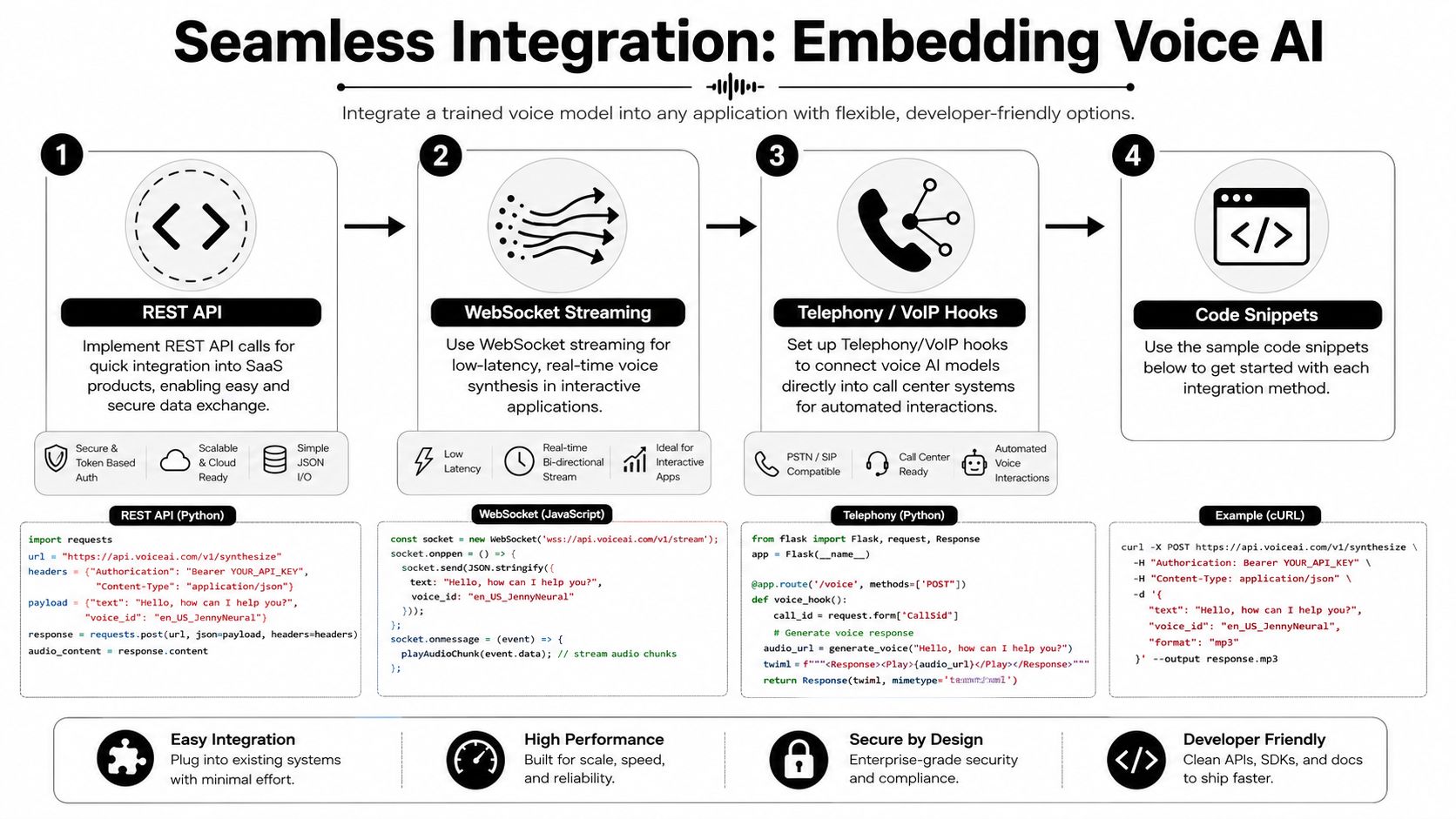
Use the transport that matches the interaction
REST is fine for batch generation, voicemail clips, or async workflows. WebSockets are better when the user expects a live conversational response. Telephony or VoIP hooks are the bridge when the voice needs to enter a call center, IVR menu, or outbound dialer.
For a quick REST-style request, the pattern is simple.
- Authenticate the request: Use whatever token mechanism your service already standardizes on.
- Send the text payload: Include the script, voice ID, and output format.
- Store the result: Save the returned audio in your object store or media pipeline.
- Handle errors explicitly: If generation fails, route to a fallback voice or human path.
For a low-latency conversation, streaming matters more than neat code. The reason is simple, the user hears the delay immediately. If you're building a real-time agent, your application should stream chunks of speech instead of waiting for a full file whenever possible.
Practical rule: if the user can see a spinner, your voice flow is probably already too slow for an interactive call.
Treat integration as a failure-aware system
Production voice needs graceful degradation. If the model endpoint is unavailable, the app should not hang in silence. It should either switch to a fallback voice, route to a queue, or hand the interaction to a human agent depending on the business context.
This is also where your auth and logging discipline matters. Voice systems often touch customer data, call transcripts, and personalized prompts. That means every request should be traceable enough for debugging without leaking sensitive content into loose logs.
The video below is useful when your engineering team is comparing architecture patterns and wants a visual walkthrough of the integration flow.
Connect the voice layer to the rest of the stack
Voice AI becomes far more useful when it can sit inside the systems you already use for support, CRM, and routing. That can mean triggering a call from a workflow, attaching transcript data to a ticket, or passing intent signals into your support stack. The key is to keep the voice service loosely coupled so you can replace parts later without rewriting the whole product.
Testing Voice Quality and Metrics
Teams usually know a voice sounds “off” before they know why. That's not good enough for production. You need a repeatable evaluation process that catches clarity issues, pacing problems, and awkward call behavior before customers do.
Separate objective checks from human judgment
A useful test plan has two layers. The first layer looks at objective performance, such as intelligibility and transcription alignment. The second layer listens for the subjective things users complain about, like unnatural emphasis, flat delivery, or poor turn-taking.
The hidden failure mode is when the model sounds technically correct but emotionally wrong. A voice can pronounce every word properly and still feel abrupt, impatient, or strangely detached in a support interaction. That's why call review should include actual business scenarios, not just isolated phrase tests.
If your team is also tuning intent handling and fallback logic, the internal guide on intent recognition is a useful companion for aligning what the caller says with how the voice system responds.
Build test coverage around call behavior
A production test set should cover common business moments, not just easy samples. Try onboarding prompts, password-reset guidance, billing clarifications, escalation handoffs, and interrupt-heavy calls. Each one stresses a different part of the experience.
A practical review cycle can include the following.
- Transcript comparison: Check whether the output preserves the meaning of the input without dropping important terms.
- Call completion review: Listen for places where the user abandons the conversation or the agent stalls.
- Pacing checks: Make sure confirmations, disclaimers, and next-step instructions don't sound rushed.
- Pronunciation sampling: Flag repeated mispronunciations in product names, customer names, and region-specific terms.
- Escalation validation: Confirm that the user reaches the right fallback when the model fails.
The goal isn't perfection. It's consistency. If your support team knows where the voice succeeds and where it tends to wobble, they can set expectations and route edge cases correctly.
Use evaluation as an operational loop
The strongest teams don't treat evaluation as a launch task. They run it continuously. New scripts, new intents, and updated product terminology should all go through a small review cycle before they hit live traffic.
That keeps quality from drifting. It also gives you a defensible way to decide when a voice update is ready for broader rollout and when it needs more cleanup.
Ensuring Ethical Legal Compliance
A lot of public guidance on voice AI stops at audio capture and model generation. That's not enough for enterprise use. If you want the voice to be legal and trusted at scale, you need consent, provenance, disclosure, and persona governance baked into the workflow from the start.
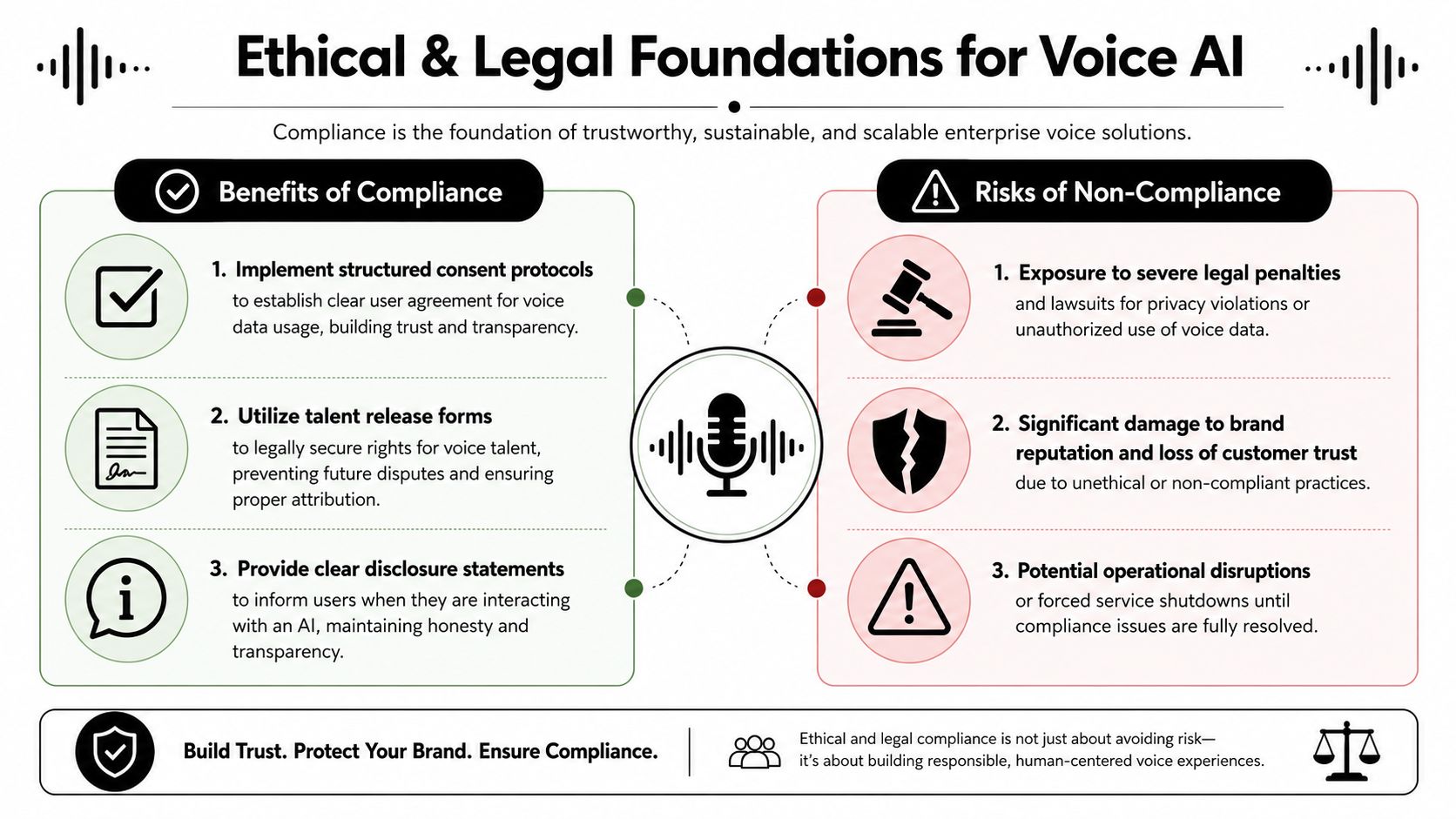
Consent and provenance are product requirements
Professional guidance stresses consent, provenance tracking, and persona design workflows to manage rights at scale, and those steps are often missing from public tutorials (Microsoft custom voice samples). That gap matters because a voice system is not just a technical asset, it's a rights-bearing media workflow.
For enterprise teams, the practical answer is to document who recorded the voice, what it can be used for, where it can be deployed, and what disclosures are required. If the voice is based on a talent recording, the release process should be explicit enough that legal and operations can audit it later. If the voice can be reused across multiple products, that reuse needs to be covered up front.
Disclosure should be part of the experience design
Users should know when they're speaking with an AI. That's not just a legal comfort blanket, it's a trust signal. When a voice model is embedded in a support line or onboarding flow, a clear disclosure can help set expectations and reduce confusion when the interaction feels machine-assisted.
Practical rule: if the user could reasonably think they're speaking with a person, the system should make the AI role obvious early.
Treat retention and regional obligations as operational controls
Voice data often touches transcription, recordings, and metadata. That means data retention policy, access control, and region-specific compliance need to be part of deployment planning, not an afterthought. Your team should know which artifacts are stored, how long they live, and who can access them.
Governance becomes a competitive advantage. Teams that can answer rights, disclosure, and retention questions quickly are easier to buy from than teams that bury those details in a legal back-and-forth. As public guidance gets thinner on this topic, the vendors and teams that build compliance into the workflow will have fewer surprises when voice usage scales.
Monitoring Performance and Optimizing
A production voice system needs active care. Once it's live, the work shifts from training to observation, cleanup, and iterative refinement. If you don't watch it closely, quality drift shows up first in customer complaints, then in support tickets, then in churn.
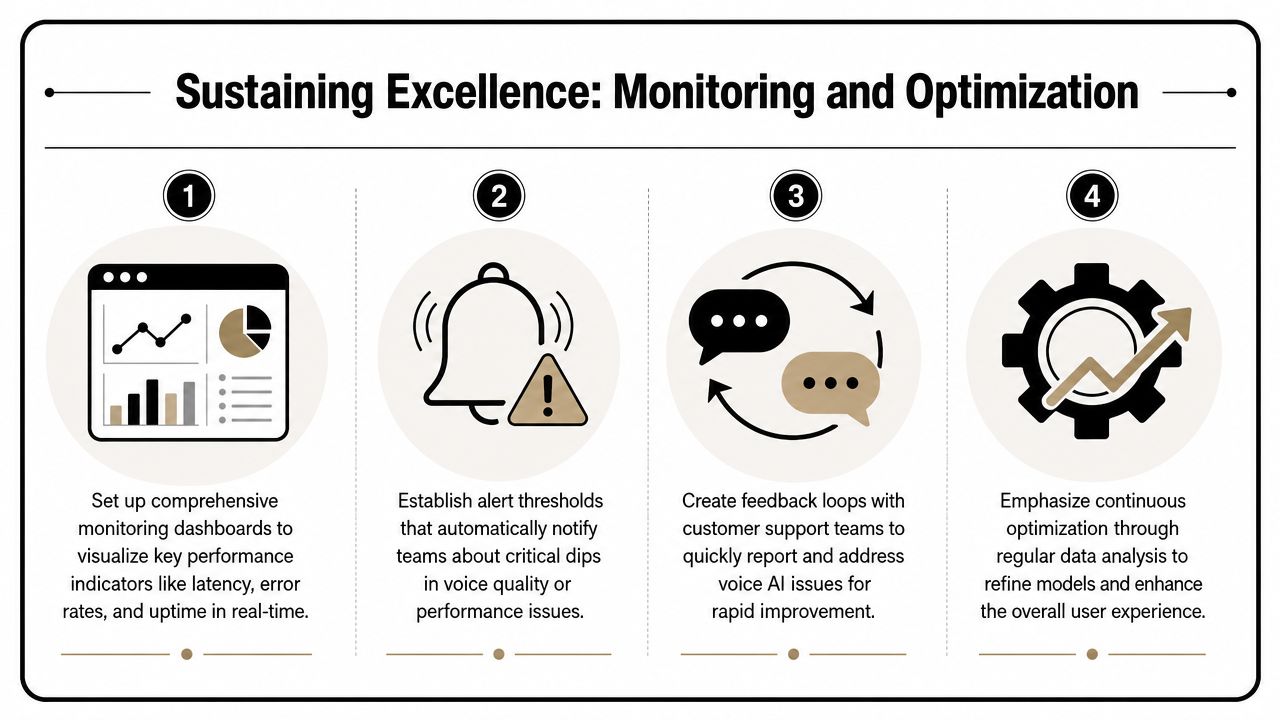
Watch real calls, not just logs
Dashboards should show the operational basics, latency, errors, uptime, and call outcomes. But the most useful signal still comes from actual conversations. Support teams can usually spot trouble faster than a dashboard if they're given a simple way to tag bad calls and forward transcripts for review.
The pattern I trust is straightforward.
- Monitor the live service: Track response health and generation failures continuously.
- Review flagged conversations: Sample calls where the user sounded confused, interrupted the agent, or asked for a human.
- Update scripts deliberately: Fix phrasing that causes repeated confusion before touching the model.
- Retune when behavior drifts: If the same issues keep appearing after script cleanup, revisit the data or model setup.
Build feedback loops that actually get used
A lot of organizations collect feedback and then leave it in a dashboard nobody opens. That doesn't improve quality. The support team should have a simple process for tagging mispronunciations, awkward pacing, and fallback failures, then passing those cases to the people who can fix them.
Continuous optimization also means revisiting the dataset. New product names, changing support policies, and updated onboarding language all affect the voice experience. If those changes aren't reflected in the scripts and training data, the voice slowly starts sounding out of date.
Short version: the model doesn't age gracefully on its own, your workflow has to keep it current.
Know when to scale and when to pause
Scale only after the voice is stable in the calls that matter most. If the model still struggles with common customer requests, adding more traffic just multiplies the pain. If the system is steady, monitored, and well-documented, then it's safe to expand into adjacent use cases like outbound calls, guided self-service, or multilingual workflows.
For teams that want the voice layer tied into broader automation, this is also where the process orchestration pays off. The same governance and feedback loop that keep a support agent healthy can support lead follow-up, onboarding reminders, and other SaaS workflows without turning every new use case into a custom project.
If you're ready to turn a voice demo into a production workflow, start by choosing one customer journey, recording a clean sample set, and defining how the system will fail safely. Then connect the model to the rest of your stack and test it against real calls, not just scripted examples. If you want help wiring that into a broader automation setup, explore MakeAutomation and map the voice workflow to your support, outbound, or onboarding process.