SOP Documentation Software: The Practical Buyer’s Guide
A 40-person SaaS operations team can survive for a while with Google Drive, Slack, and good intentions. Then the shared folder grows past 200 files, onboarding instructions diverge from support procedures, and nobody knows whether the document named “Final v3” is current. New hires ask the same questions in Slack because the folder no longer feels trustworthy. Approvals sit in email threads, while experienced employees carry the process in their heads.
That failure isn't caused by a lack of effort. Shared documents weren't designed to manage ownership, approvals, effective versions, acknowledgements, and audit evidence together. The buying decision is whether to adopt dedicated SOP documentation software, build a system with a no-code platform, or extend the workspace your team already uses.
My recommendation is direct. Buy when governance and traceability matter, build when speed and flexibility matter more, and extend only when your process library is still small. Whichever route you choose, design maintenance before launch. A polished SOP library that nobody updates is just a more attractive liability.
When Shared Docs Stop Scaling
The first warning sign isn't a messy folder. It's a team that has stopped relying on it.
A support lead asks for the latest escalation procedure. Someone posts a Drive link in Slack, then adds, “I think this is the current one.” A new operations manager discovers that the onboarding checklist conflicts with the access policy. During an audit, the team can show several documents, but can't quickly prove which version was approved, when it became effective, or who reviewed it.
These are operational failures, not cosmetic inconveniences:
- Version confusion: Employees follow different instructions for the same task.
- Ownerless documents: Nobody is responsible for checking whether a procedure still matches reality.
- Tribal knowledge: The person who knows the exception is unavailable when the exception occurs.
- Slow audits: Reviewers spend time reconstructing approvals from email, comments, and file history.
- Weak adoption: Employees search Slack because the official repository feels slower than asking a colleague.
The problem gets worse as teams spread across departments and locations. A shared drive can store files, but it doesn't naturally enforce a controlled path from draft to approval to publication. It also doesn't turn a procedure into an executable workflow with assignments, deadlines, acknowledgements, or evidence capture.
Practical rule: If employees need to ask who approved a procedure, which version applies, or when it should be reviewed, your storage system is doing the work of a governance system badly.
The market's expansion reflects this shift. One industry estimate placed the global SOP software market at USD 1.2 billion in 2024 and projected USD 3.5 billion by 2033, while another estimated USD 351.35 million in 2024 and forecast USD 541.05 million by 2032. The definitions differ, but both estimates point to sustained demand for structured documentation infrastructure, as reported by Verified Market Reports.
The choice isn't between documentation and no documentation. Your team is already documenting work. The choice is whether that documentation remains scattered and fragile or becomes a controlled operating layer.
What SOP Documentation Software Actually Does
SOP documentation software is a purpose-built system for creating, approving, publishing, distributing, and maintaining standard operating procedures. It treats a procedure as controlled operational content, not merely as a page that someone can edit.
That distinction matters because a general-purpose wiki usually answers, “Where can we put this information?” A dedicated SOP system asks more useful questions: Who owns this procedure? Who must approve it? Which version is active? Who has acknowledged the change? What evidence proves the process was followed?
A serious platform usually connects:
- Authoring: Structured templates guide the writer through purpose, scope, roles, prerequisites, steps, exceptions, and records.
- Governance: Owners, reviewers, approval gates, and review dates are visible.
- Publication: The approved version becomes the version employees should follow.
- Traceability: The system records changes, approvals, and publication history.
- Execution: Procedures can include assignments, due dates, forms, conditional logic, acknowledgements, and evidence.
That last point separates an operational system from a file repository. A document tells someone what should happen. An executable SOP can guide the person through what happens next and record whether the required action occurred. Guideflow's explanation of business process documentation software describes this workflow-linked model, including assignments, approvals, forms, conditional logic, and evidence capture.
Think of the difference between a building's fire safety plan and a stack of meeting notes. Both might mention evacuation, but only one is structured for a stressed person who didn't write it. The plan identifies responsibilities, sequences actions, and communicates the current approved instruction. Your customer escalation procedure deserves the same discipline.
A no-code system can sometimes deliver this structure without a dedicated SOP product. Before choosing, compare document automation software for structured workflows with the capabilities already available in your workspace. You should also assess which AI tool boosts ops team efficiency if your team expects AI assistance during authoring, search, or process upkeep.
SOP software doesn't replace training, judgment, or management attention. Employees still need to understand why a control exists, recognize exceptions, and report when the written process no longer matches reality. The software creates the operating discipline. People keep it honest.
Features That Separate Real SOP Tools from Glorified Wikis
A vendor demo can make almost any knowledge product look like an SOP platform. The test is whether the product controls the full lifecycle of a procedure, from first draft through retirement.
Authoring should create usable procedures
Look for templates with required fields, step-level instructions, media support, and consistent formatting. A good authoring experience makes a procedure scannable under pressure. It should support screenshots, links, forms, and conditional paths where the work requires them.
Non-negotiable: Required structure, reusable templates, clear step formatting, and media embedding.
Nice-to-have: AI drafting, automatic capture, branded layouts, and multiple output formats. These features can improve speed, but they don't compensate for weak ownership or approval controls.
Ownership and approvals must be explicit
Every current SOP needs a named owner. That owner may write the procedure, but shouldn't automatically be the only reviewer. Approval workflows should show who approved the content, what changed, and whether the procedure is ready for publication.
In accountable environments, an audit trail should be a secure, computer-generated, time-stamped record that reconstructs creation, modification, and deletion events. SOPs covering system setup, maintenance, backup, recovery, and security should also be available alongside the system itself, according to the overview of SOP management software and audit requirements.
Non-negotiable: Named ownership, approval gates, reviewer visibility, and acknowledgement tracking.
Nice-to-have: Escalation reminders, delegated approvals, and automated notifications.
Versioning should protect the reader
Version history is useful only if it helps employees follow the right instruction. The platform should preserve an immutable history, show effective dates, and allow a new approved version to publish without breaking the reader's path to the procedure.
The interface should make the current version obvious. It should also distinguish draft, current, superseded, and deprecated content. If employees can accidentally land on an obsolete copy through search, an attractive version history won't solve the underlying risk.
Non-negotiable: Clear current status, immutable history, effective dates, rollback capability, and stable reader links.
Nice-to-have: Automated change summaries and side-by-side comparisons.
Distribution and retrieval determine adoption
A procedure that lives outside the employee's workflow will be ignored when the team is busy. Check whether the platform supports role-based access, acknowledgements, embedded procedures, and links from ticketing or project tools.
Search should prioritize current content and support metadata filters such as department, process owner, system, and status. Dead-document flagging matters because a search result that looks authoritative but has no owner creates the same confusion as a shared-drive sprawl.
Non-negotiable: Full-text search, metadata filtering, permissions, stable links, and reader-facing distribution.
Nice-to-have: Contextual in-app guidance, usage analytics, and personalized recommendations.
Integrations should reduce duplicate work
SSO is a baseline for controlled access. Ticketing integrations can connect an incident or request to the procedure used. RPA and automation connectors can trigger tasks, while LMS integrations can associate SOP acknowledgement with training.
Don't buy integrations because a vendor lists them on a slide. Test the exact workflow. Ask whether the integration creates a useful record, or merely embeds a link.
| Feature Category | Non-Negotiable | Nice-to-Have |
|---|---|---|
| Authoring | Structured templates, required fields, media | AI drafting, auto-capture, branded layouts |
| Approvals and ownership | Named owner, reviewer, sign-off | Delegation and escalation reminders |
| Versioning | Current status, history, effective dates | Change summaries and comparisons |
| Distribution | Search, permissions, acknowledgements | Contextual guidance and analytics |
| Integrations | SSO, ticketing, core workflow links | RPA, LMS, and advanced automation connectors |
Buy, Build, or Extend Your Existing Workspace
The correct option depends less on the feature list than on who will own the trade-offs.
Buy a dedicated platform
Choose a dedicated SOP product when compliance, customer audits, formal approvals, or cross-location consistency are central. These systems usually provide stronger governance out of the box, including controlled publishing, audit trails, acknowledgements, and workflow execution.
The cost is reduced flexibility. You may need to adapt your process to the platform's model, pay for implementation or administration, and accept stricter constraints than a wiki would impose. That is a reasonable trade when proving control matters more than experimenting with page layouts.
Build on a no-code stack
Notion, Coda, and Airtable can work well for a fast-moving product or operations team that needs to establish a useful system without waiting for a lengthy procurement cycle. You can connect SOP records to owners, projects, change requests, and review queues, then adjust the structure as the business learns.
The risk is governance debt. Granular permissions, formal approval paths, effective-date controls, and audit expectations may require workarounds. A no-code system is flexible because your team owns the design. That also means your team owns every exception and maintenance rule.
Extend the workspace you already use
Adding SOP pages or modules inside ClickUp, Confluence, or another existing workspace minimizes change management. It makes sense when you have a small collection of stable cross-functional rituals and the team already knows how to search and edit there.
It rarely remains sufficient once the library becomes a controlled operational asset. General workspaces tend to mix current procedures with project notes, decisions, drafts, and informal guidance. That mixture is convenient early and confusing later.
| Approach | Cost | Flexibility | Compliance Fit | Best For |
|---|---|---|---|---|
| Buy dedicated software | Higher subscription and administration commitment | Controlled customization | Strongest fit | Regulated teams, formal audits, customer-facing accountability |
| Build with no-code | Lower initial cost, higher design responsibility | Highest flexibility | Depends on configuration | Early-growth SaaS and adaptable operations teams |
| Extend existing workspace | Lowest change cost | Limited by current platform | Usually moderate or weak | Small libraries and established team rituals |
My default recommendation is to buy if an external reviewer may ask for evidence. Build if the primary problem is speed and your processes change faster than your governance needs. Extend only when you can name the limited scope and the point at which you'll reassess.
Implementing SOP Documentation Software Without Slowing the Team Down
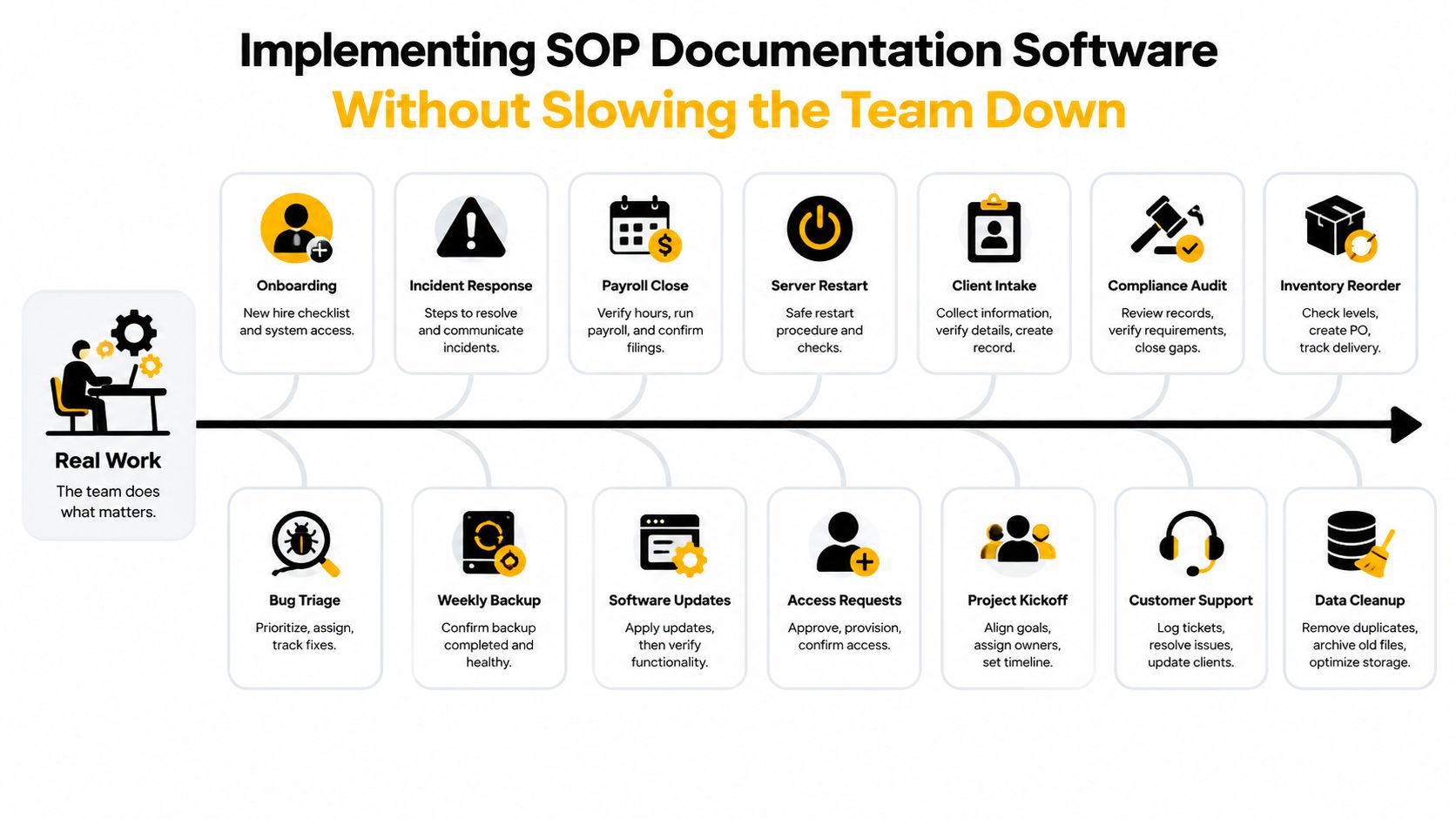
Rollouts fail when documentation becomes a separate initiative that competes with customer work, product releases, and incident response. Put the first procedures inside the work already happening.
Start with business friction, not document volume
Don't migrate every file. Select the ten to fifteen procedures that currently block execution or create recurring questions. Typical candidates include new-hire onboarding, incident response, billing exceptions, client intake, bug triage, access changes, and backup checks.
For each candidate, assign three roles before drafting:
- Owner: Maintains the procedure and responds when the process changes.
- Reviewer: Checks whether the steps match policy and actual practice.
- Audience: The people who must execute or acknowledge the procedure.
Then write a short, task-shaped version. A useful SOP should tell a person what to check, what to do, what result to expect, and what to do when the expected result doesn't appear. Don't turn it into a policy manual. If the reader needs a long explanation before taking the first action, separate the background from the execution steps.
Pilot one high-friction workflow
Run a pilot around a process that people already struggle to find or execute. Incident response is often a strong candidate because it has clear triggers, owners, escalation paths, and evidence requirements. Client intake can also work when several teams touch the same handoff.
Test two practical questions during the pilot:
- Can the right person find the current procedure without asking in Slack?
- Can that person execute the process without seeking clarification for ordinary cases?
Record where the draft fails. Missing permissions, ambiguous language, hidden exceptions, and weak search metadata matter more than whether the page looks polished.
Use the SOP development process from MakeAutomation as a reference for structuring the work, then adapt it to your systems and approval model.
Make review part of existing rituals
Don't schedule a separate documentation meeting if the team already reviews operations weekly. Add a short SOP check to the operations review, sprint retrospective, incident review, or release checklist. A process change should create a documentation review task while the change is still fresh.
Training can stay short. Show employees how to search, follow the current version, report an error, and request a change. A brief live walkthrough is more useful than a long training deck that nobody revisits.
Expand only after the pilot proves that the system helps people find and execute work. Then add procedures in batches, keeping ownership and review assignments attached to every publication.
The Maintenance Problem Most Buyers Underestimate
The software rarely determines whether an SOP program survives. The maintenance model does.
The dangerous assumption is that documentation is complete when the first version is published. In reality, the procedure changes when a product screen changes, a vendor alters its workflow, a policy is revised, or an exception becomes common enough to deserve a formal step. If nobody owns that update, the system preserves yesterday's process with impressive consistency.
Market coverage describes a move from static documents toward AI-assisted systems that detect process changes, automate version control, and synchronize with ERP, CRM, and QMS tools. The same coverage identifies hybrid deployment as a projected fast-growing model through 2035, as discussed by Precedence Research's SOP management solution market coverage. For B2B and SaaS teams, the important point isn't the forecast itself. It's the shift in buyer expectations from fast creation to sustainable upkeep.
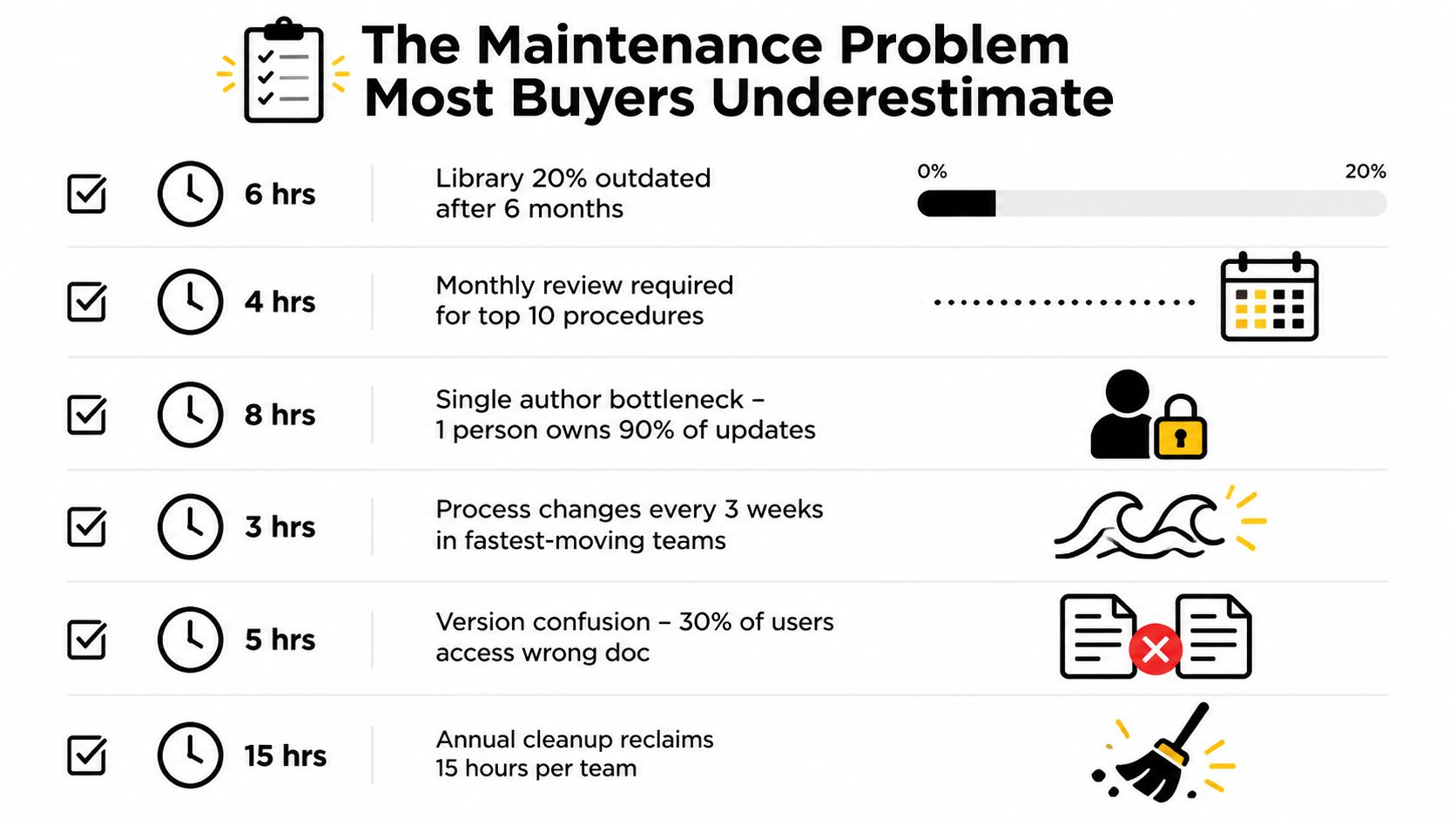
Give every SOP four visible attributes:
- Owner: One accountable person, not a department.
- Review trigger: A calendar date, process change, incident, release, or policy update.
- Status: Draft, current, under review, superseded, or deprecated.
- Evidence: The approvals, acknowledgements, and change records that support its use.
Automate the reminder wherever possible. A change to a CRM field, ticket workflow, product screen, or quality control requirement should create a documentation review task. Don't rely on memory.
Publish a concise stale-content report for leadership. It doesn't need to become a performance theater exercise. The point is to make neglected procedures visible and give owners a clear queue. Teams with strong documentation aren't necessarily using the most advanced platform. They have made review part of operating rhythm, so updating a procedure is normal work rather than a heroic cleanup project.
A Practical Checklist Before You Commit
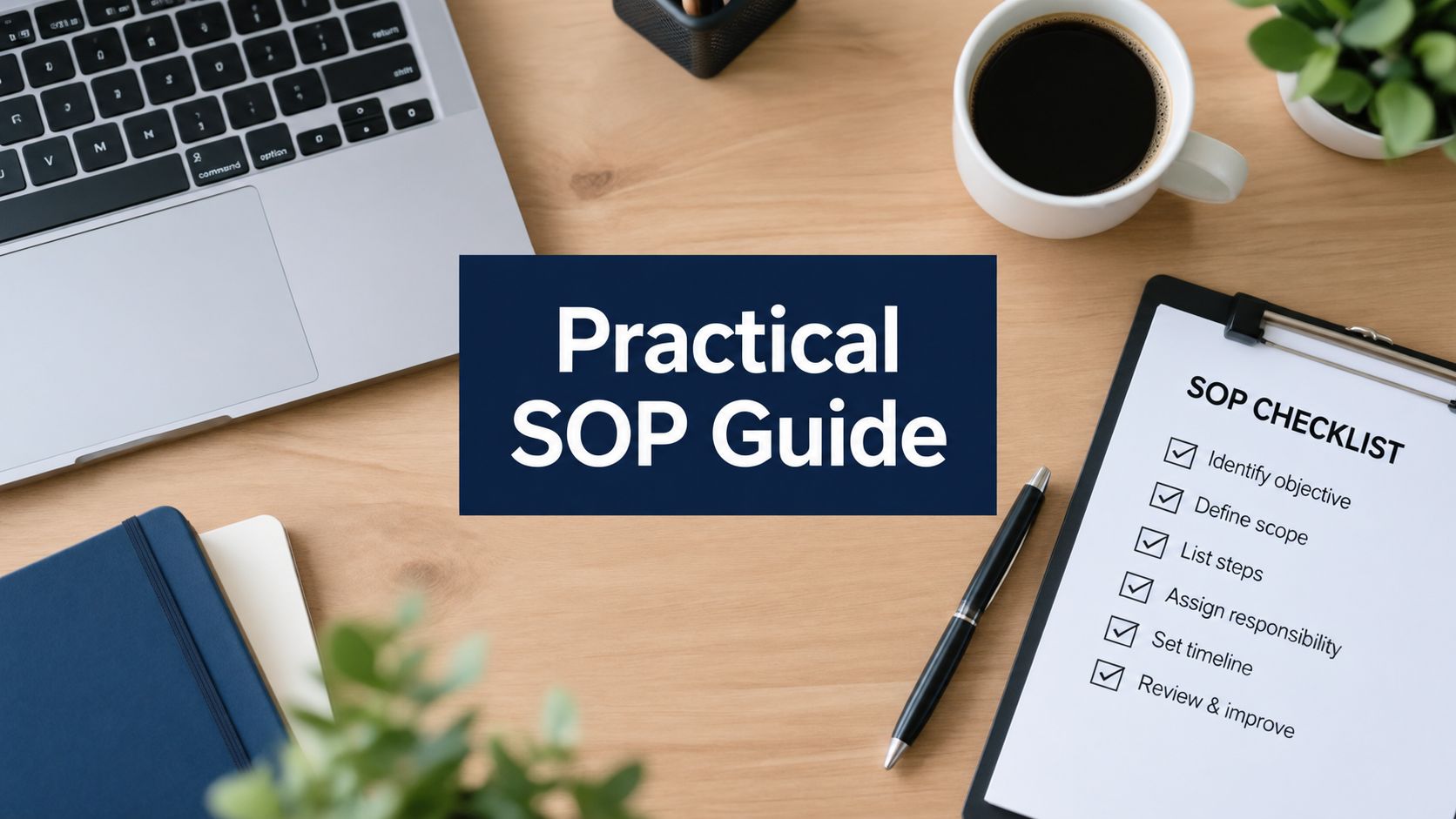
Run this checklist before a vendor demo. Score every item as must-have, nice-to-have, or disqualifier. That prevents a polished presentation from redefining your requirements.
Documentation and ownership
- Library scope: Identify the procedures you need now and the categories likely to follow.
- Audience roles: Separate authors, reviewers, executors, approvers, and readers.
- Ownership model: Confirm that every current SOP can have one accountable owner.
- Content format: Decide where text, screenshots, forms, video, and embedded guidance are necessary.
- Retirement rules: Define how obsolete procedures are marked, archived, and removed from active search.
Review and control
- Approval path: Verify that drafts can move through review before publication.
- Review cadence: Support calendar-based and event-based reviews.
- Change triggers: Check whether system or workflow changes can create review tasks.
- Version history: Confirm that previous versions remain traceable and protected.
- Acknowledgements: Test whether the platform records who received and acknowledged a material change.
Findability and workflow fit
- Search quality: Test current-version search using the terms employees use.
- Metadata: Filter by team, owner, process, system, and status.
- Permissions: Map access for internal teams, contractors, customers, and auditors.
- Workflow links: Connect procedures to tickets, projects, incidents, and training.
- Access experience: Test SSO, mobile access, stable links, and embedded usage in the tools where work happens.
Cost and implementation
- Subscription model: Understand how seats, viewers, authors, and external readers are counted.
- Implementation effort: Estimate migration, configuration, permissions, integrations, and training.
- Administration: Assign the person who will manage templates, taxonomy, and review queues.
- Data processing: Confirm that the vendor will sign a data processing agreement.
- Industry references: Ask for two customer references with a similar operational or compliance profile.
Pilot and exit planning
- Pilot workflow: Select one high-friction process with a clear owner and reviewer.
- Success criteria: Define acceptable time-to-find and time-to-execute outcomes before testing.
- Pilot participants: Include the person who writes, approves, and follows the procedure.
- Export format: Verify that you can export your content in a usable, structured format.
- Decision date: Set the point at which you'll expand, redesign, or stop the pilot.
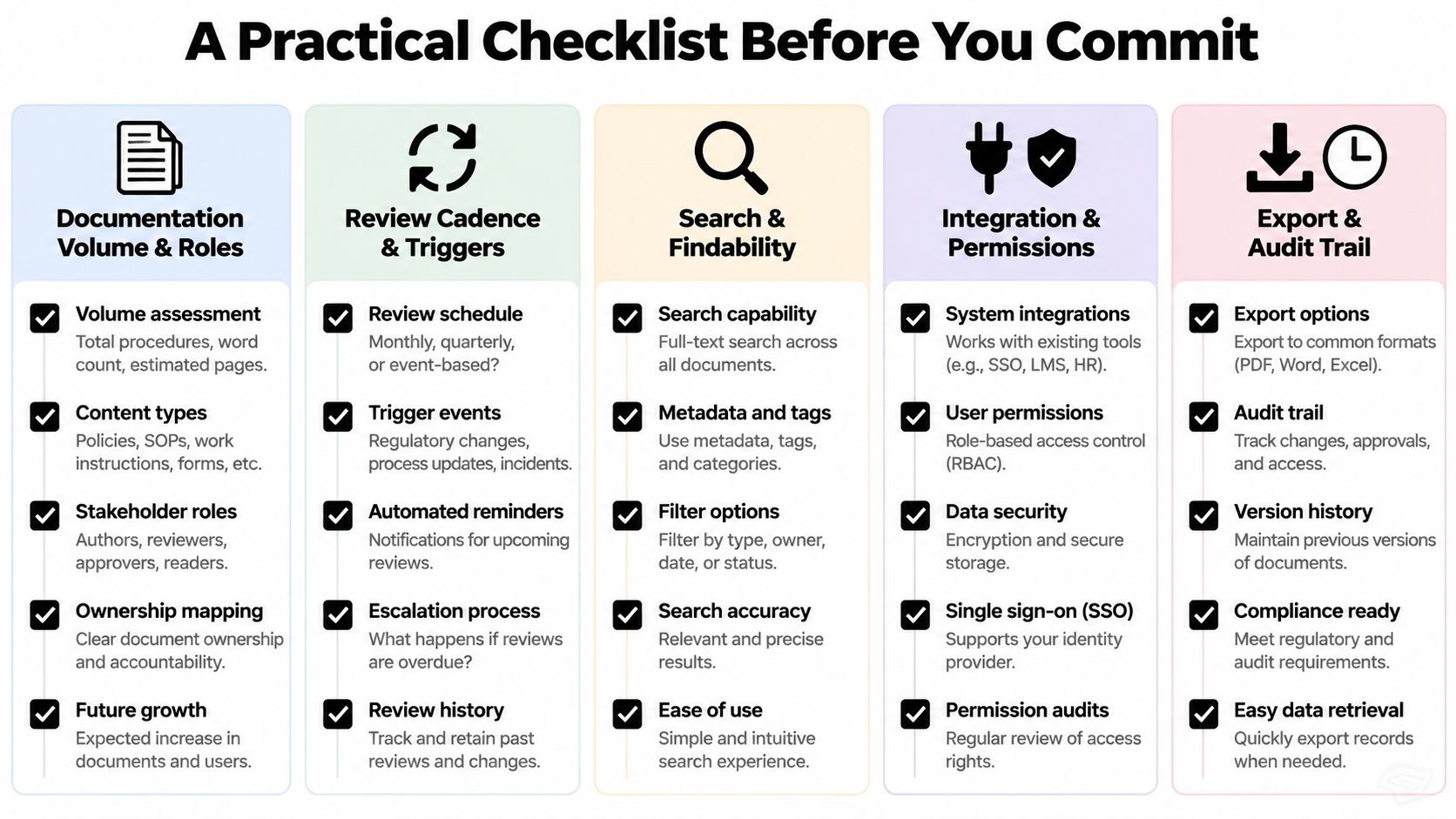
A practical SOP documentation example from MakeAutomation can help your team compare the checklist against an actual procedure structure rather than a vendor's feature language.
The decision should be made before the demo, not during it. If compliance evidence and controlled approvals dominate, shortlist dedicated platforms. If speed and experimentation dominate, prototype a no-code model. If the need is narrow, extend the workspace you already have, but define the boundary clearly.
MakeAutomation helps B2B and SaaS teams design, document, and implement scalable operating workflows, including SOP frameworks and automation-linked processes. Visit MakeAutomation to discuss the documentation system, implementation support, or AI automation your team needs to keep procedures current after launch.